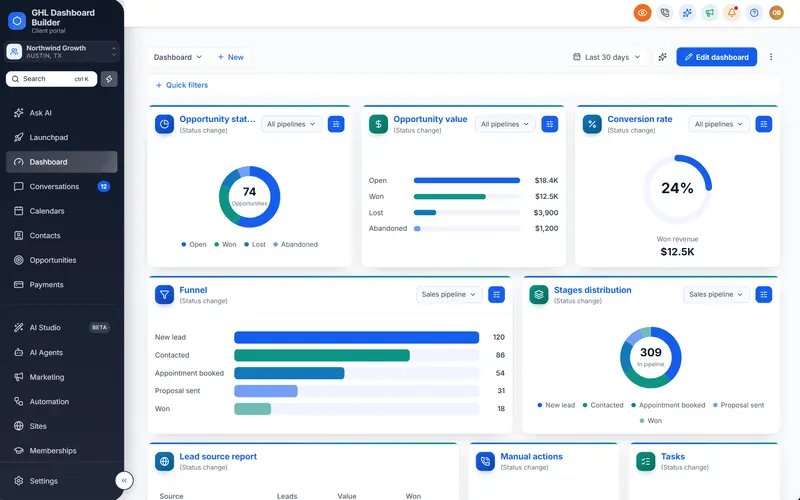
GoHighLevel per palestre means running an Italian gym’s lead capture, trial lessons, class bookings, renewal reminders, WhatsApp replies and review requests in HighLevel (also called GoHighLevel or GHL), in Italian. It works best when the platform language is set to Italian and the menu uses gym words such as Iscritti and Lezioni, in the gym’s own brand.
The usual problem looks like this. You sell a palestra in Bologna on automated follow-up for free trials. The front desk logs in and sees a blue interface that looks nothing like the gym’s black-and-orange sign, a menu that says Contatti where they say iscritti, and an Abbonamenti item that has nothing to do with the monthly passes they sell. This guide covers what an Italian gym actually uses HighLevel for, how ASD sports clubs differ from commercial gyms, the Italian menu words that fit a gym, how to track the certificato medico without storing health documents, class calendars on Italian time, GDPR and screen shares, a step-by-step setup and the limits. GHL Dashboard Builder is an independent design service and is not affiliated with HighLevel; where our product helps, we say exactly what it does and where it stops.
What does GoHighLevel per palestre cover for an Italian gym?
GoHighLevel covers the commercial and communication side of an Italian gym: bringing in leads, booking prove gratuite (free trial lessons) and classes, reminding members of renewals, winning back people who stopped coming and collecting reviews. It rarely replaces the turnstile, the check-in app or the federation card system, so plan HighLevel around the jobs it does well.
Start with who logs in. In a typical Italian palestra it is not the owner but the reception (la reception or la segreteria), a sales coordinator who handles new enquiries, and istruttori (instructors) who check today’s class list between sessions. They want to see who booked the 18:30 functional class, reply to the person who asked on Instagram about prices, call the trial member who has not come back since Tuesday and send a review request after a good first month.
Here is how HighLevel’s main modules map to that work, with the Italian words the team already uses.
| HighLevel module | What an Italian gym uses it for | Words the staff use |
|---|---|---|
| Contacts | Members, trial members and leads | Iscritti, soci, tesserati |
| Calendars | Trial lessons, personal training, group classes | Prove, lezioni, corsi, personal |
| Conversations | WhatsApp, SMS, Instagram and email replies in one inbox | Messaggi, richieste |
| Opportunities | From enquiry to trial to paying member | Trattative, iscrizioni in corso |
| Payments | Passes, class packs, personal training packages | Abbonamenti, pacchetti, ingressi |
| Automation | Trial follow-up, renewal and certificate reminders | Promemoria, automazioni |
| Reputation | Google review requests after the first weeks | Recensioni |
| Memberships | On-demand workouts or a members’ area | Area riservata, corsi online |
Why Italian gyms are a real niche
Fitness is the largest group of sports Italians play in their free time. According to Istat’s report on sport participation in 2024, 37.5% of people aged three and over, more than 21.5 million people, played at least one sport in their free time, and 28.7% did so regularly. Among those who play sport, 33.1% do gymnastics, aerobics, fitness or body conditioning, ahead of football at 20.3% and water sports at 18.7%, and the full Istat report notes that most practise in indoor facilities such as gyms and covered pools.
The wider market is growing as well. EuropeActive and Deloitte reported that European fitness memberships reached 75.5 million at the end of 2025, up from 71.4 million a year earlier. None of these numbers proves that a branded dashboard wins a gym more members, and we do not claim it does. They show that an agency specialising in Italian gyms has a large, active customer base to serve.
Infographic
Italian gyms and fitnessby the numbers
37.5%
of Italians aged 3+ played sport in their free time in 2024
(Istat)
33.1%
of them chose gymnastics, aerobics, fitness or body conditioning
(Istat)
75.5M
fitness memberships in Europe at the end of 2025
(EuropeActive and Deloitte)
15
dashboard languages in GHL Dashboard Builder, Italian among them
(GHL Dashboard Builder)
Sources: Istat, La pratica sportiva in Italia, anno 2024; EuropeActive and Deloitte, European Health & Fitness Market Report 2026 key findings; GHL Dashboard Builder, November 2026.

How is an Italian gym different from a gym elsewhere?
An Italian gym is often a sports club as well as a business. Many palestre are run as an ASD (associazione sportiva dilettantistica, an amateur sports association) or an SSD (società sportiva dilettantistica, an amateur sports company), with members who join, pay a membership fee and receive a federation or promotion-body card. That shapes the words, the data and the payments in HighLevel.
ASD, SSD and the RASD register
ASD and SSD clubs that want the status of amateur sports bodies register in the national register of amateur sports activities, the RASD, held by the government’s Department for Sport under legislative decree 39 of 2021 and run by Sport e Salute, as TeamSystem’s summary of the RASD rules explains. For your agency, the practical point is simple: a club’s members are often associati or tesserati, not customers, and the club may collect a quota associativa (membership fee) and a tessera (membership card) on top of monthly passes.
A commercial gym (a palestra run by an ordinary company or a chain) sells passes like any business. A boutique studio for Pilates, yoga, functional training or boxing usually sells class packs. Ask which of the three your client is on day one, because it decides what the pipeline stages, the products and the menu words should be.
The certificato medico
Italian gyms talk about the certificato medico (medical certificate) constantly. The rules are narrower than many people think. According to LentePubblica’s guide to the gym medical certificate, since 2013 the certificate for non-competitive sport applies to people registered with a federation or a sports promotion body, while purely recreational exercise no longer needs one by law. Many gyms still ask every member for one, often for insurance reasons, and a certificate is generally valid for 12 months.
That is not your decision and it is not legal advice. What it means for HighLevel is that most Italian gyms have one recurring admin task that a workflow can handle well: reminding a member before the certificate runs out. We show a safe way to do that later in this guide.
Language and conventions
Italian gym staff work in Italian, with English loanwords they use every day: personal trainer, functional, cross training, Pilates reformer, open day. Italy writes prices with a decimal comma, such as 49,90 €, dates as day, month and year, and times on the 24-hour clock, and the week starts on Monday. Summer matters: many gyms change timetables or close for part of August around Ferragosto, so calendars and workflows need a summer version.
How does GHL Dashboard Builder set up GoHighLevel per palestre?
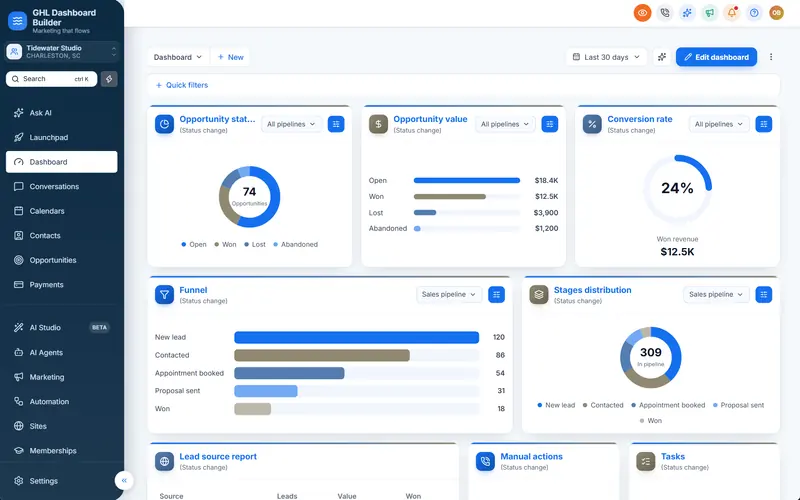
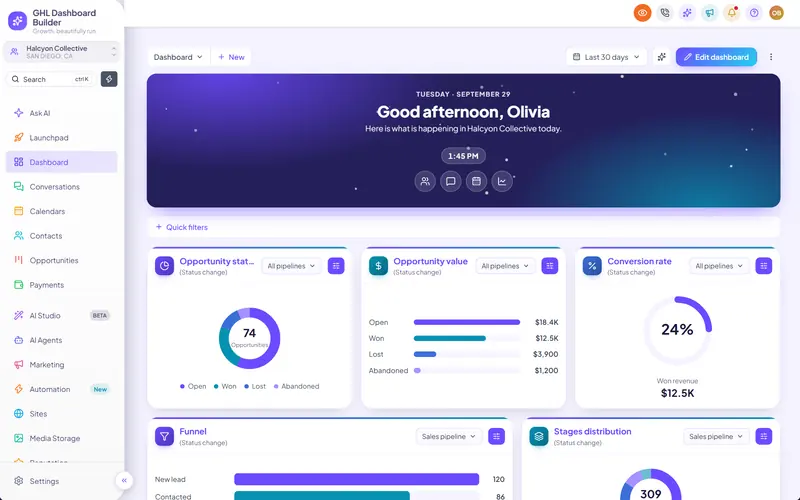
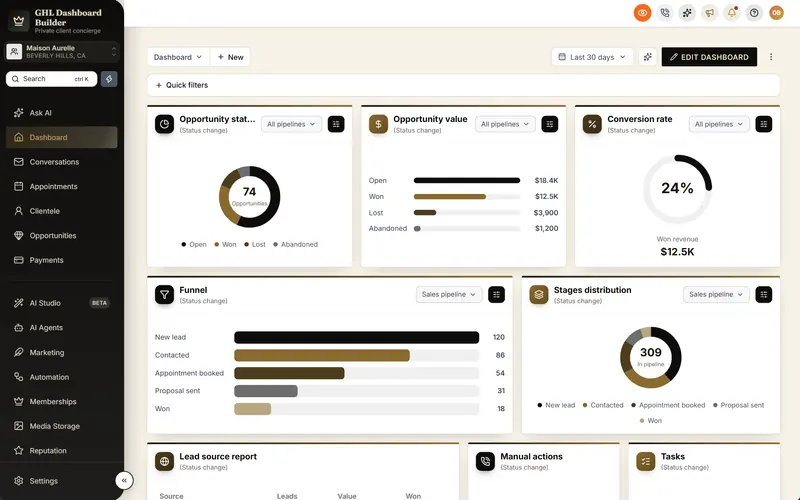
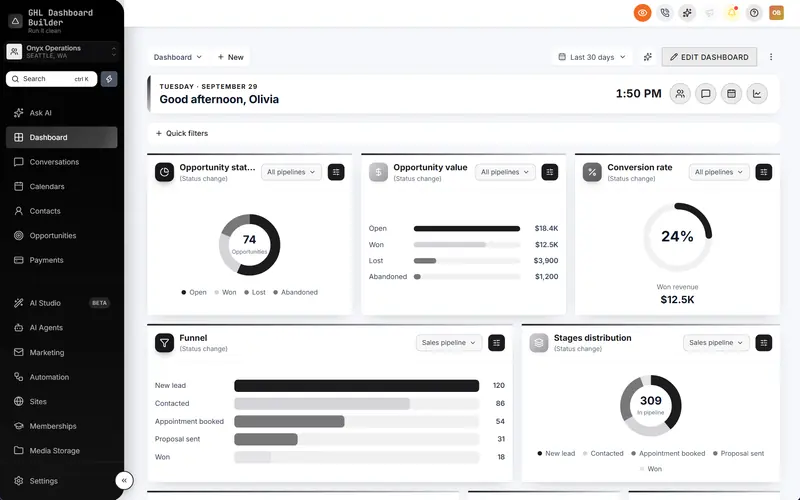
GHL Dashboard Builder puts the gym’s brand and an Italian menu on HighLevel: Italian navigation, gym words in the menu, the gym’s colors and logo, privacy mode for screen shares, and a design limited to the sub-accounts you choose. It installs with two short lines in HighLevel’s custom code settings. Text inside HighLevel’s own pages still follows each user’s platform language.
GHL Dashboard Builder is an independent design service that turns the standard HighLevel (GoHighLevel) dashboard into a branded platform: your colors, menu, login design, privacy mode and your clients’ language, installed with two lines of code. For an Italian gym, the relevant parts are the Italian language pack, the menu editor, the Forge fitness template, privacy mode and single sub-account targeting. The full list of what installs into HighLevel is on our features page.
What the Italian language pack changes
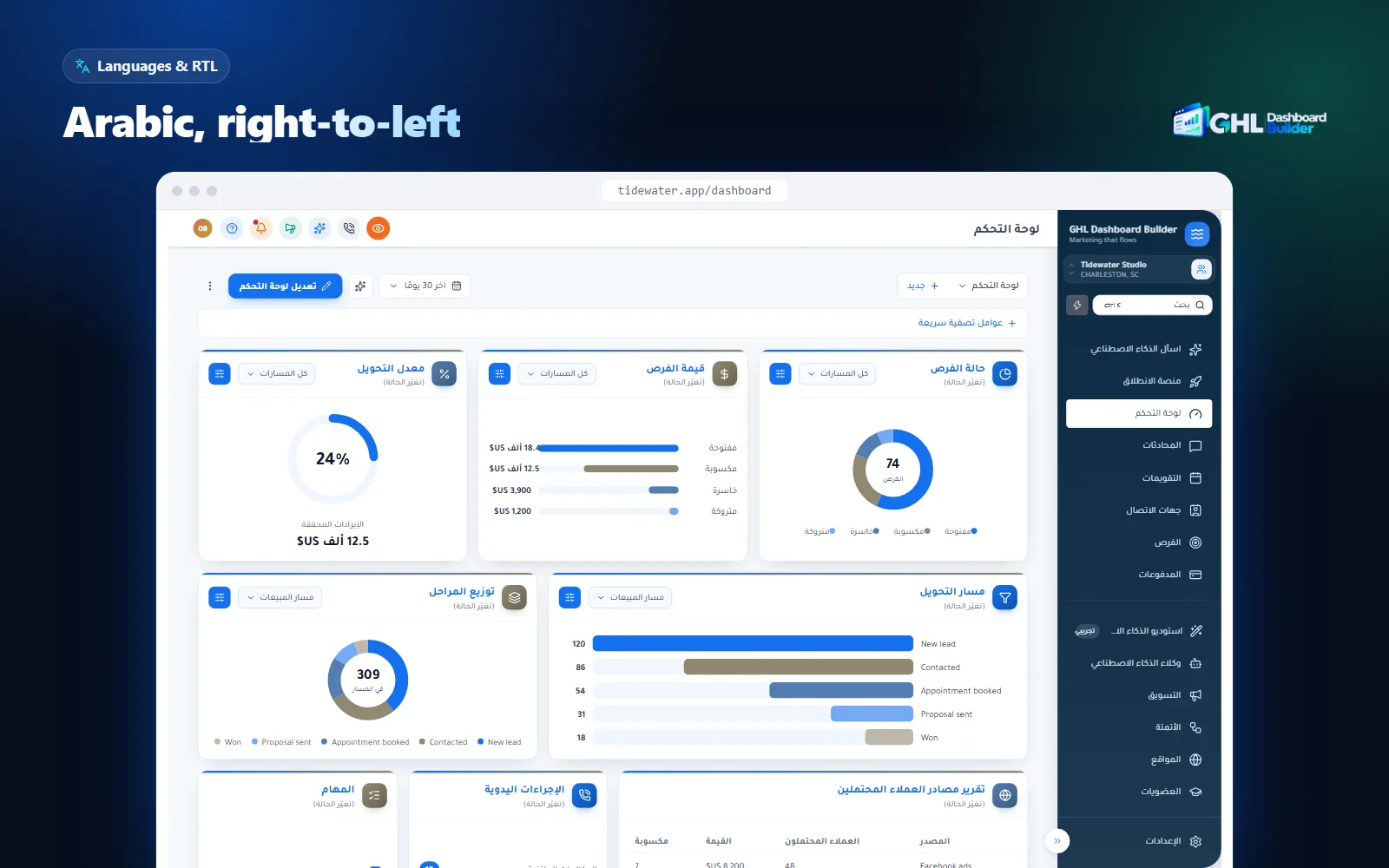
Italian is one of 15 dashboard languages, 3 of which (Arabic, Urdu and Hebrew) read right to left; Italian uses the normal left-to-right layout. The pack translates the menu and navigation, the sidebar search and sub-account switcher (Cambia sub-account), the header search box (Cerca contatti, trattative, conversazioni…), notifications, the profile menu (Il mio profilo), common buttons such as Salva and Annulla, and the tab names the theme shows. Out of the box the menu reads Dashboard, Conversazioni, Contatti, Opportunità, Calendari, Pagamenti, Marketing, Automazione, Siti, Abbonamenti, Reputazione, Report and Impostazioni.
That default is general business Italian, which is right for an accountant or an estate agency but not for a gym. The menu editor is where the gym’s own words go in, and the next section gives a full map. Our guide to HighLevel in Italian covers the native Italian setting, tu or Lei, SMS accents and Italian e-invoicing in more depth.
What each feature does for the gym, and which plan includes it
| Feature | What it does for the gym’s team | Plan |
|---|---|---|
| Forge template | A dark, high-energy fitness design with a near-black sidebar and electric red | Starter and up |
| Brand and colors | The gym’s colors, fonts and logo across HighLevel’s screens | Starter and up |
| Welcome banner and appointments board | A greeting with today’s date and the next appointments on the Dashboard | Starter and up |
| Privacy mode | The Modalità privacy button blurs member names, emails, phone numbers, conversations and deal values | Starter and up |
| Single sub-account | The Italian gym design shown only in the gyms you pick, by link or Location ID | Starter and up |
| Menu editor | Rename, reorder and hide any of HighLevel’s 19 menu items, plus live counts | Pro |
| Languages | The menu and navigation in Italian or 14 other languages | Pro |
| Login page design | A branded sign-in page in the gym’s colors on your white-label domain | Pro |
| A look designed by our team | A design built from scratch for a gym chain’s brand | Agency |
The Starter plan ($280) gives one design from any of our 31 templates, without the language section or the menu editor. Pro ($480) adds up to 3 designs, the menu editor, Italian and the other languages, and the branded login page. Agency ($880) adds up to 100 designs, a look designed by our team, custom CSS and JavaScript and lifetime updates. All three are one-time payments with no monthly fee, plus a one-time $100 setup fee on every plan, for which we install and configure the design in your HighLevel. Starter and Pro include 12 months of updates, then optional at $99 a year.
How it installs and what the gym sees
You design in the builder, and the result is one CSS line and one JavaScript line pasted into HighLevel at Settings, Company, Whitelabel, Custom Code, which takes about five minutes. Our two-line install page shows the process, and on every plan we do the install for you as part of the setup fee. After that, the reception logs in on your white-label domain and sees the gym’s colors, an Italian menu in its own words and a shorter menu without the tools nobody on the floor opens.
On data: the builder never connects to your HighLevel account, and the installed code changes styling and menu labels only. It does not read or send members’ data anywhere. HighLevel’s own white-label settings still handle the domain, the logo and the mobile app.
Which Italian words should a gym’s GoHighLevel menu use?
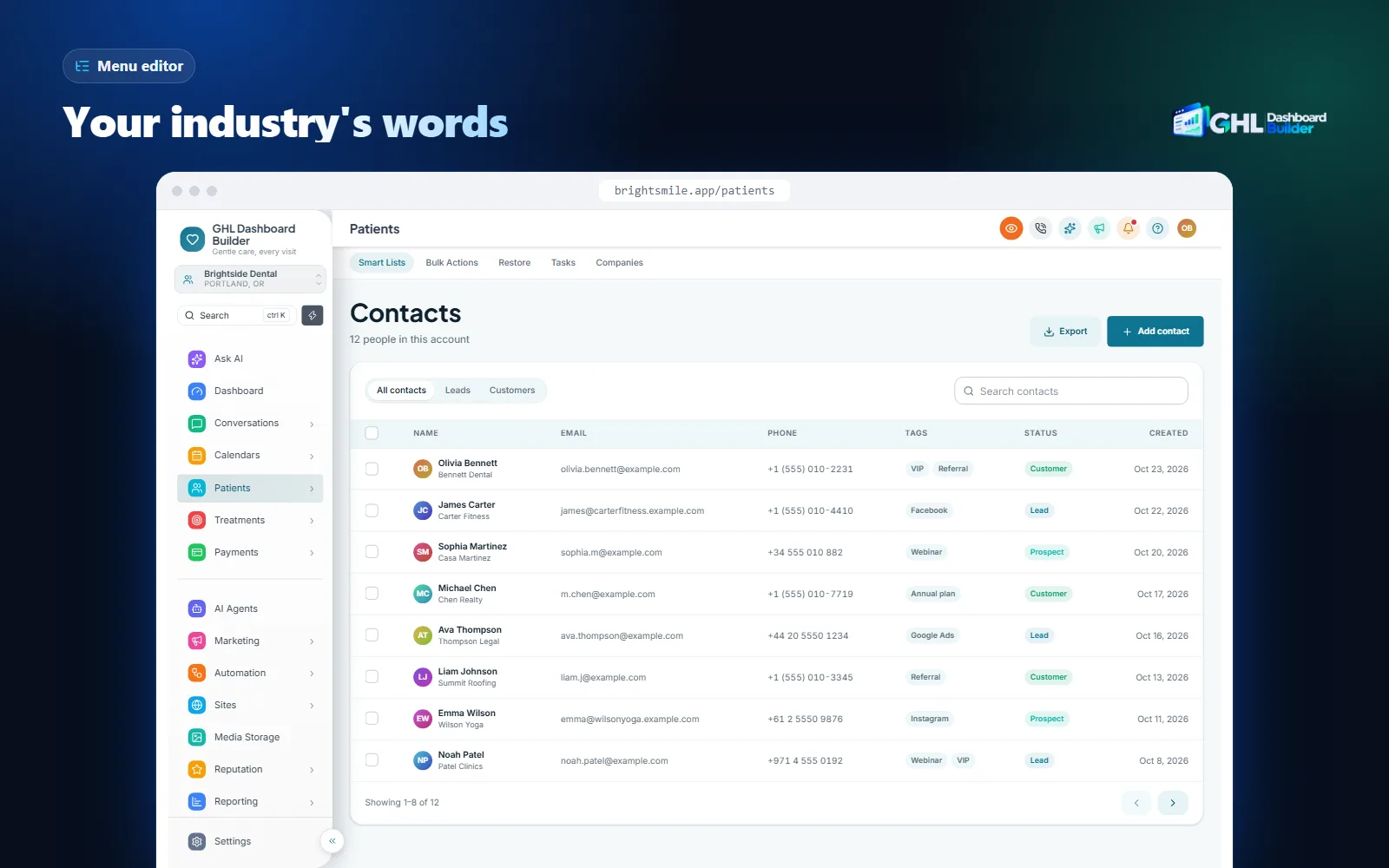
Use the words the reception says out loud: Iscritti or Soci for Contatti, Lezioni or Prenotazioni for Calendari, Recensioni for Reputazione. Keep the order HighLevel users know, rename only what the gym really calls something else, and hide the modules that staff will never open. A short menu in the gym’s words cuts training time more than any color.
HighLevel has no built-in setting to rename its main menu items, so agencies either write custom JavaScript or use a menu editor. Our step-by-step guide to renaming GoHighLevel menu items compares the two, and our page on GHL sidebar and menu customization shows what the menu editor changes.
| HighLevel item | Default in our Italian pack | Suggested for a commercial gym | Suggested for an ASD club |
|---|---|---|---|
| Contacts | Contatti | Iscritti | Soci or Tesserati |
| Calendars | Calendari | Lezioni or Prenotazioni | Corsi |
| Opportunities | Opportunità | Prove gratuite or Trattative | Nuove iscrizioni |
| Conversations | Conversazioni | Messaggi | Messaggi |
| Payments | Pagamenti | Pagamenti | Quote e pagamenti |
| Memberships | Abbonamenti | Area riservata or hide | Area soci or hide |
| Reputation | Reputazione | Recensioni | Recensioni |
| Launchpad, App Marketplace | Launchpad, Marketplace di app | Hide after setup | Hide after setup |
The Abbonamenti trap
This one matters most for Italian gyms. In Italian, abbonamento is the everyday word for a gym pass, and our Italian pack uses Abbonamenti for HighLevel’s Memberships item, which is really HighLevel’s area for online courses, communities and client portals. A receptionist looking for a member’s monthly pass will click Abbonamenti and land in a course builder. Rename Memberships to Area riservata or Corsi online if the gym uses it, or hide it if the gym does not.
The same logic applies to Contatti. A member in a gym is not a contact; calling them Iscritti in the menu tells staff the system was set up for their gym. If the gym is an ASD whose members are soci, use Soci, because that is the word on its statute and on the membership card.
Should the menu say tu or Lei?
For the software itself, neutral nouns avoid the question: Lezioni, Messaggi and Recensioni work with any form of address. Most Italian gyms write tu to their members in SMS and WhatsApp messages (“Ti ricordiamo la lezione di domani alle 18:30”), while a medical fitness centre or a physiotherapy-led studio may prefer Lei. Let the gym choose once and use that form in every template.
What to hide for a gym
Most gyms never need the App Marketplace, Media Storage or AI tools they have not tested, and Launchpad is useful only during onboarding. Hiding them is a display choice: the pages still exist and can be shown again with one setting. Review after 30 days and hide anything nobody clicked.
How do you track the certificato medico in HighLevel without storing health data?
Store only the certificate’s expiry date in a custom field, not a scan of the certificate, and let a workflow remind the member before it runs out. That gives the reception a reliable reminder system while keeping health documents out of a marketing CRM. Decide with the gym whether it needs the certificate at all.
A certificate of fitness for sport says something about a person’s health, and the GDPR treats data about health as a special category that needs extra care. A CRM full of uploaded medical documents is a risk the gym does not need to take: the expiry date and a yes or no are enough to run reminders. If the gym insists on keeping copies, they belong in the system it already uses for member records, under its own data protection policy.
A safe setup
- In the gym’s sub-account, open Settings, Custom Fields and create a Date field called Scadenza certificato medico. Add a second field, a dropdown called Certificato, with the options Presente, Mancante and Non richiesto.
- Add both fields to the contact view the reception uses, so they fill them in when a member hands in a certificate.
- Under Automation, build a workflow that starts from a date-based trigger on the Scadenza certificato medico field and sends a message 30 days before the date and a second one 7 days before. Trigger names change; check HighLevel’s current list of workflow triggers when you build it.
- Write the messages in the gym’s voice: “Ciao Marco, il tuo certificato medico scade il 15/01. Puoi portarci quello nuovo alla reception quando vuoi.”
- On the expiry date, add a tag such as certificato-scaduto and create a task for the reception, rather than blocking anything automatically.
- Build a smart list of members whose Certificato field is Mancante, so the reception can follow up in person.
Tessera and quota associativa
ASD clubs have a second yearly cycle: the membership card and the membership fee, which often run from September to August or on the calendar year. Use the same pattern: a date field for Scadenza tessera, a workflow that reminds the member a few weeks before, and a product under Payments for the quota associativa if the club takes that payment in HighLevel. Ask the club’s accountant first, because associations have their own receipt and tax rules.
How should class calendars and payments work for an Italian gym?
Use HighLevel’s Class Booking calendar for group lessons, a one-to-one calendar for trial lessons and personal training, and the gym’s own timetable in Italian time. Set the time zone to Europe/Rome before you create any calendar. Then decide with the owner which payments HighLevel takes and which stay in the gym’s management system.
HighLevel’s Class Booking calendar is built for sessions where one host serves several attendees, with a set number of seats per class, recurring schedules and integrated payments. When a class is full, HighLevel marks it as full and removes it from the booking widget, and you can show the remaining seats on the widget, which works well for small-group classes where people book early.
Timetable conventions that matter in Italy
- The 24-hour clock. Italian timetables say 18:30, not 6:30 p.m. Check that the booking widget and reminder messages use the same format as the gym’s printed timetable.
- A Monday week. Italian timetables start on lunedì; weekly views and reports should too.
- Summer timetables. Plan an orario estivo (summer timetable) and the August closure as separate calendar availability, and pause trial-lesson campaigns while the gym is closed.
- Lesson names in Italian and English. Keep the names the gym uses on its posters: Functional, Pilates, Spinning, Ginnastica posturale. A translated class name nobody recognises causes more calls, not fewer.
Fitness dominates what Italians who play sport do, which is why the calendar is the busiest screen in an Italian gym’s HighLevel.
Source: Istat, La pratica sportiva in Italia, anno 2024 (survey I cittadini e il tempo libero)
Payments: passes, packs and direct debit
Create the gym’s products under Payments, Products: monthly or quarterly passes as recurring products, class packs and personal training bundles as one-time products, and a trial lesson at zero or a small fee. Italian gyms often collect long passes by direct debit. If the gym’s payments run through Stripe, note that Stripe’s SEPA Direct Debit requires approval and extra verification, and payments take several business days to confirm, so do not promise instant activation.
For ASD clubs, quote associative and the club’s own receipts follow rules the club’s accountant knows best. Agree in writing which payments HighLevel handles, and keep the rest in the gym’s existing system.
What do GDPR and the Garante mean for a gym’s HighLevel?
Italian gyms fall under the EU’s General Data Protection Regulation, supervised in Italy by the Garante per la protezione dei dati personali. For an agency, three things matter most: marketing consent for SMS and WhatsApp, care with any health or biometric data, and not exposing members’ details when you share your screen. None of this is legal advice; it is a checklist for your conversation with the gym.
The Garante has already looked at gyms. In a decision announced in December 2022, it fined Sportitalia, the company behind the Get Fit clubs in Milan, 20,000 euros for using employees’ fingerprints to record attendance without the required legal basis, as Agenda Digitale reported. That case concerned staff, not members, and not HighLevel. The lesson for an agency is that Italian gyms handle sensitive data in practice, and a CRM should hold no more of it than the job needs.
Consent and outbound calls
Record marketing consent for SMS, WhatsApp and email on each contact, with the date and the form it came from, and keep it out of the hands of anyone who does not need it. If the gym phones former members or leads for marketing, Italy’s public do-not-call register, the Registro pubblico delle opposizioni, covers mobile numbers since July 2022, as Open reported when the extension started. Make sure someone owns that check before an outbound campaign starts.
Screen shares, recordings and the reception tablet
Agencies that serve gyms share screens all the time: sales calls with new studios, support sessions with owners, training videos for new instructors. A gym adds its own risks, such as a tablet at reception that faces members walking in and an owner recording a quick walkthrough on a phone for a staff WhatsApp group. Each can show a member’s name, phone number and messages to people who should not see them.
A simple routine works. Use a demo sub-account filled with invented members for every sales call and video. Share one browser tab, not the whole screen. Close the conversations panel before you share. And when you must open a live gym account, blur the data first. Our guide to hiding client data on screen shares covers this routine in detail.
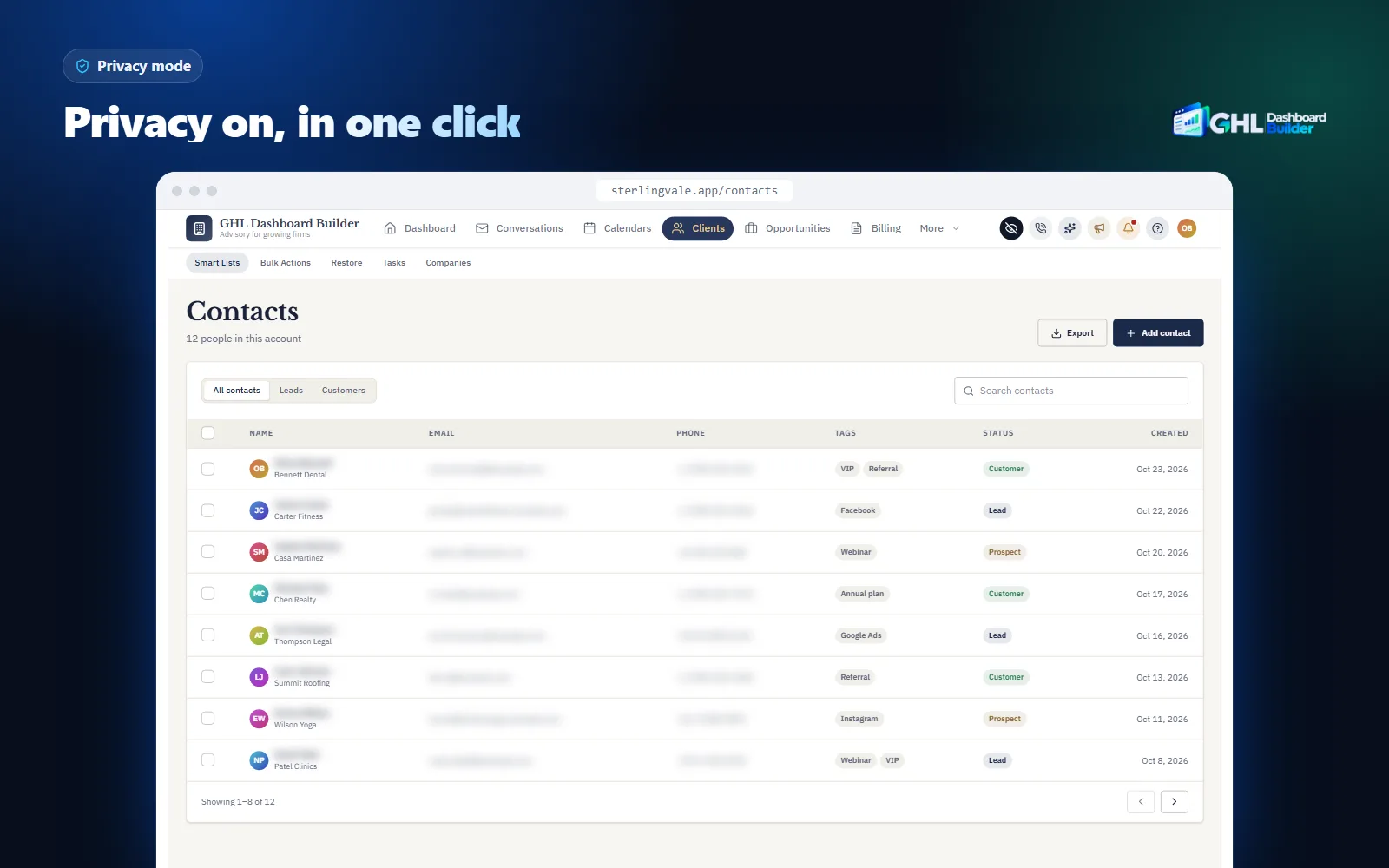
GHL Dashboard Builder’s privacy mode adds an eye button to HighLevel’s header, labelled Modalità privacy in the Italian pack. One click blurs contact names, email addresses, phone numbers, the conversation list and deal values; another click shows them again, and you choose how strong the blur is. It hides data on screen only; it does not change who can access the data in HighLevel, which is still set by user permissions.
How do you set up GoHighLevel per palestre, step by step?
Build the account first, then add the Italian design, then test it with a receptionist and an instructor. Branding is easier to finish once calendars, fields and workflows are final, and real staff find problems an admin never sees. Menu paths below match HighLevel’s help center at the time of writing; HighLevel moves things now and then.
Infographic
GoHighLevel per palestrein six stages
- 1
Set Italian basics
Italian platform language, Europe/Rome time zone, euro and a Monday week.
- 2
Add gym fields
Certificate expiry, card expiry and consent fields on every member.
- 3
Build calendars
Class Booking calendars for lessons and one-to-one calendars for trials.
- 4
Write the workflows
Trial follow-up, renewals, certificate reminders and reviews in Italian.
- 5
Install the design
Italian menu, gym colors and privacy mode via two lines of code.
- 6
Test with real staff
A receptionist and an instructor walk through a normal evening.

Stage 1: Italian basics
- Create the gym’s sub-account from the agency view.
- In the sub-account, open Settings, Business Profile. Set the time zone to Europe/Rome, the currency to euro and Platform Language to Italian. HighLevel’s internationalization article explains that each user can override the language under Settings, My Profile, and that untranslated text falls back to English.
- Add the gym’s business hours, including the summer timetable, and its address exactly as it appears on Google.
Stage 2: Gym fields
- Under Settings, Custom Fields, create the date fields Scadenza certificato medico and Scadenza tessera, the Certificato dropdown, and a field for the member’s preferred channel (WhatsApp, SMS or email).
- If the gym issues invoices to companies for corporate wellness, add fields for partita IVA and codice destinatario.
- Add consent fields for marketing by SMS, WhatsApp and email, with the date of consent.
Stage 3: Calendars and products
- Create a Class Booking calendar for each group lesson type, with seats per class set to the room’s real capacity.
- Create a one-to-one calendar for prove gratuite and one for personal training.
- Under Payments, Products, create passes, class packs and personal training bundles, and agree which payments stay in the gym’s gestionale.
- Under Opportunities, build a pipeline with stages the gym recognises: Richiesta, Prova prenotata, Prova fatta, Iscritto, Non ora.
Stage 4: Workflows in Italian
- A booking confirmation and a reminder the day before a trial lesson.
- A follow-up sequence after the trial: same evening, two days later and one week later.
- Renewal reminders before a pass ends, and the certificate and card reminders from the earlier section.
- A win-back message for members who have not booked for three weeks.
- A Google review request after the first month. Write short messages, avoid curly apostrophes in SMS, and use the gym’s form of address throughout.
Stage 5: Install the Italian design
- Complete the identity layer at agency level under Settings, Company: logo, white-label domain and legal links. Our checklist for white-labeling GoHighLevel lists every setting.
- Design the gym’s look in the builder: Forge or another template, the gym’s colors, the Italian language, the renamed menu and privacy mode.
- In the agency view, open Settings, Company, Whitelabel, Custom Code, copy anything already in the boxes into a text file as a rollback, and paste the two new lines.
- Limit the design to the gym’s sub-account if your other clients should keep their current look.
Stage 6: Test with real staff
- Log in as a receptionist, not as an admin, and walk through a normal evening: tonight’s classes, a new WhatsApp enquiry, a trial booking, a renewal to chase.
- Repeat as an instructor who only checks class lists.
- Narrow the browser to tablet width, because many receptions run on a tablet.
- Ask one person to find three things without help, and rename anything they hesitate over.
Which design suits an Italian gym or studio?
Match the design to the kind of gym: dark and bold for strength, boxing and functional gyms, light and calm for Pilates, yoga and posture studios, and clean and clinical for medical fitness centres. Whatever the style, keep text readable on a tablet under strong lights, and use the brand color for buttons and highlights rather than small text.
Our Forge template is the starting point for most commercial gyms. It uses a near-black sidebar, electric red highlights, bold headings and compact spacing, with a glass-card login over a gym photo, and you can recolor it with the gym’s own brand. Our gym and fitness setup guide measures Forge’s color contrast pair by pair and covers a first-week rollout for staff, which applies to Italian gyms as well.
A Pilates or yoga studio in Milan or Florence usually wants something lighter: a pale background, one soft accent color and rounded cards. Browse the dashboard templates for a calmer starting point and apply the same rule: body text must stay readable at a glance.
Design choices that work for Italian gyms
- One accent color. Reserve the gym’s brand color for the main action on each screen, such as Prenota or Salva.
- Room for longer Italian words. Italian labels are often longer than English ones (Impostazioni for Settings, Conversazioni for Conversations), so leave the sidebar wide enough that nothing is cut off.
- Compact lists. Receptions scan long class lists and message queues; tighter spacing shows more without scrolling.
- The gym’s logo, not yours. On the gym’s own sub-account the gym should see its brand; your agency’s brand belongs on the login domain and the agency view.
Can one agency give Italian to its gyms and keep English for other clients?
Yes. HighLevel applies custom code at agency level, but GHL Dashboard Builder can limit a design to the sub-accounts you choose, by link or Location ID. Your Italian gyms see the Italian gym design, while every other sub-account and the agency view keep plain HighLevel, all from one install.
This suits the way most agencies grow an Italian fitness niche: one pilot gym first, then a handful of similar gyms. One design is shown in the sub-accounts you pick. If two gyms need very different looks, for example a boxing gym and a Pilates studio, talk to us about the setup on our contact page, because the Pro plan includes up to 3 designs and Agency up to 100.
Each user’s Platform Language is still their own choice. An English-speaking owner of an Italian gym can keep HighLevel’s inner pages in English while the reception works in Italian; the branded menu stays in the language the design is set to. Our overview of GoHighLevel languages explains how the two settings combine.
Commercial gym, ASD club or boutique studio: which setup fits?
The right setup depends on how the gym is organised and what it sells. A commercial gym needs a sales pipeline and renewals, an ASD club needs card and certificate cycles, and a boutique studio lives on class packs and bookings. Use the table to decide what to build first and which design and plan fit.
| Decision | Commercial palestra | ASD or SSD sports club | Boutique studio (Pilates, yoga, boxing) |
|---|---|---|---|
| What members are called | Iscritti | Soci or tesserati | Clienti or allievi |
| Main products | Monthly, quarterly and yearly passes | Quota associativa, card and course fees | Class packs and drop-in lessons |
| Busiest HighLevel screen | Opportunities and Conversations | Contacts and Calendars | Calendars |
| Key workflow | Trial follow-up and renewals | Card and certificate reminders | Pack running out, rebook prompts |
| Who decides on payments | Owner and accountant | Club board and accountant | Owner |
| Design starting point | Forge, dark and bold | Forge or a clean light template | A light, calm template |
| Plan that usually fits | Pro, for Italian and menu words | Pro | Starter if English is fine, Pro for Italian |
For an agency with several Italian gyms, the decision is mostly about the number of designs. One design across all gyms fits Starter if the team works in English, or Pro if it needs Italian and its own menu words. Different looks for different gyms point to Pro (up to 3 designs) or Agency (up to 100), and a chain with a strong brand may want the Agency plan’s look designed by our team.
What can go wrong, and what doesn’t an Italian theme solve?
A theme changes how HighLevel looks and what the menu says. It does not translate HighLevel’s inner pages, builders, system emails or mobile app, which follow HighLevel’s own language settings. It does not decide the gym’s legal obligations on certificates, consent or payments. And because HighLevel does not officially support custom code, a platform update can require a theme refresh.
Common problems and fixes
- English inside the pages. Builders, some settings and newer features may still show English for Italian users. Set the Platform Language to Italian anyway and test the screens the reception uses.
- Literal native translations. Italian users on HighLevel’s ideas board have flagged native terms in the Sites area that read oddly. The branded menu fixes the words in the navigation; it does not change wording inside HighLevel’s pages.
- Abbonamenti in two meanings. If you skip the rename, staff will confuse HighLevel’s Memberships area with the gym’s passes. Rename or hide it.
- SMS that costs more than expected. A curly apostrophe or a capital È switches an SMS to a shorter character set. Type templates directly in HighLevel and check the segment count.
- Health documents in the CRM. Uploading certificate scans to contacts creates a data protection risk with no benefit for reminders. Store the expiry date only.
- Platform updates. HighLevel ships changes often. On Starter and Pro, 12 months of updates are included, then optional at $99 a year; Agency includes lifetime updates. Without updates, the theme keeps working as it is.
What branding does not do
A branded Italian dashboard will not fill classes, replace a turnstile system or make a gym compliant on its own. What it does is practical: the reception finds things faster because the menu uses its words, the owner sees your agency’s platform rather than a resold tool, and member data stays off your screen during demos. Our hub guide to GHL dashboard customization lists everything else you can change around it, and the FAQ answers the common install questions.
What to do next
- List your Italian gym clients and note for each one whether it is a commercial gym, an ASD or SSD club or a boutique studio, who logs in every day and what they call their members.
- Set each gym’s sub-account to Italian, Europe/Rome and euro today, and create the certificate, card and consent fields before you import members.
- Agree with each owner and accountant which payments HighLevel takes, and whether the gym actually requires a medical certificate from its members.
- Try the gym’s colors, the Forge template and an Italian menu with Iscritti and Lezioni in the free builder, and test it with one receptionist on one sub-account.
- Compare the plans when you are ready to roll it out to the rest of your gyms.