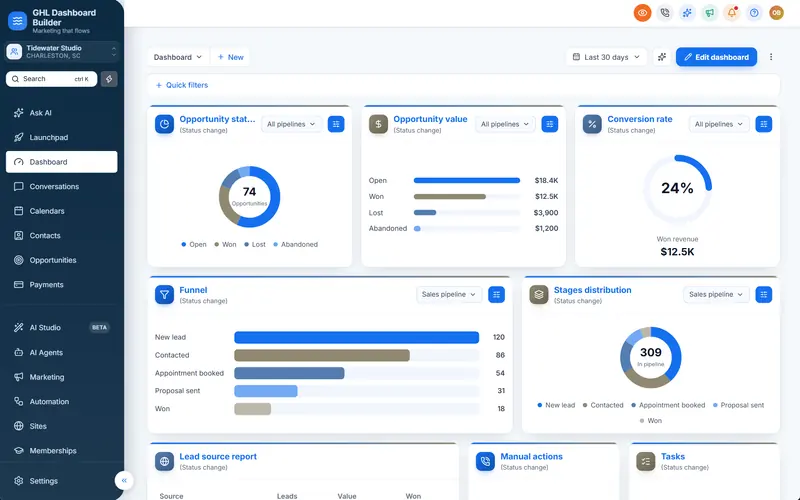
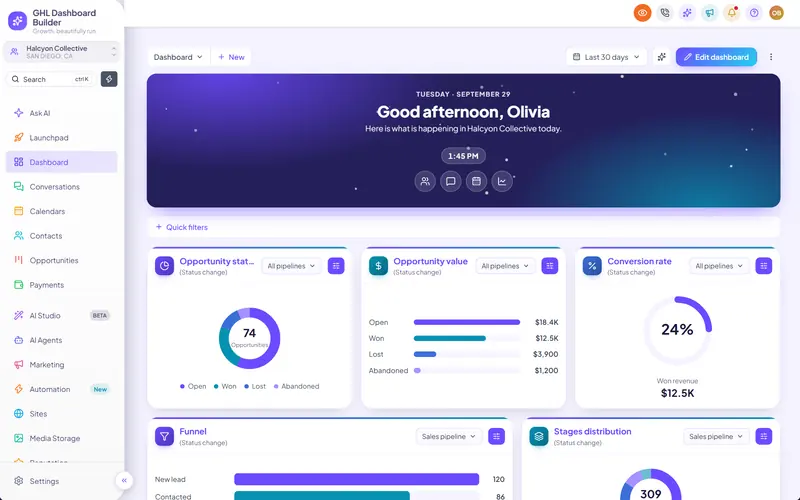
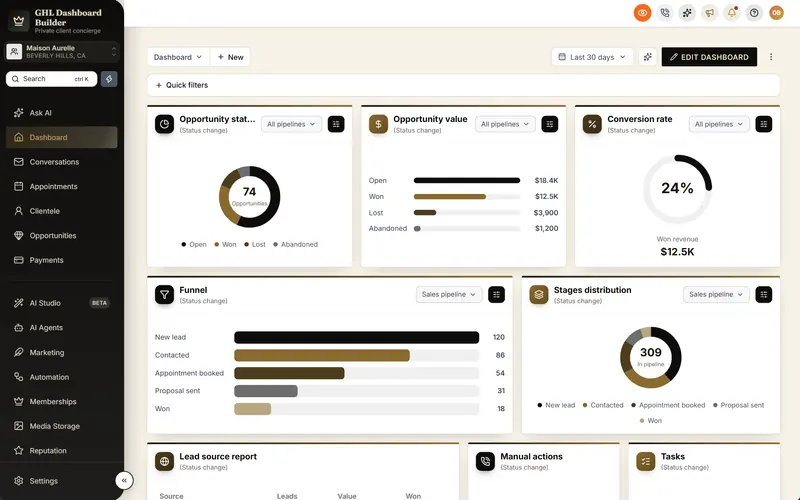
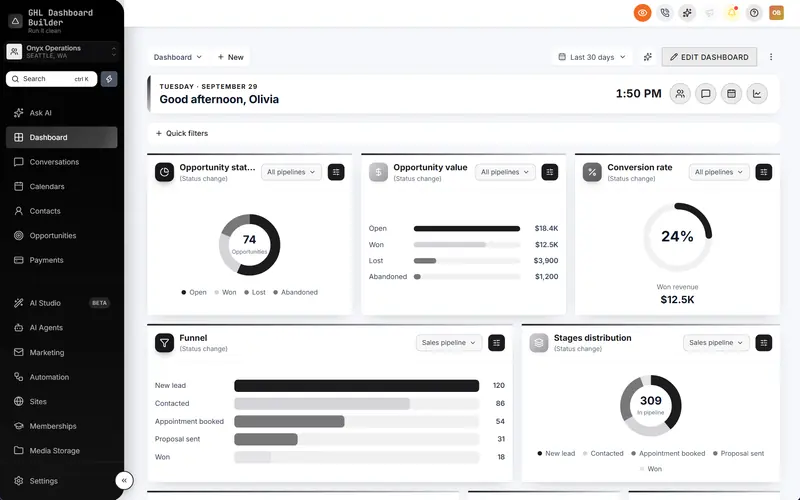
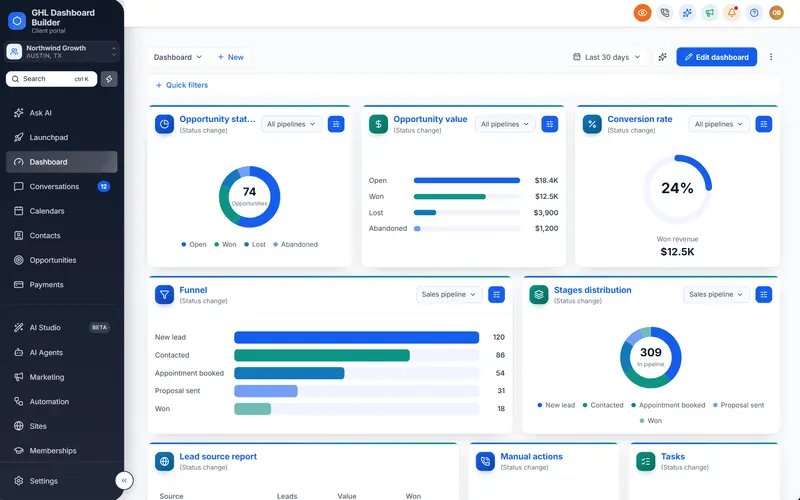
HighLevel for car dealerships and auto services means using HighLevel (also called GoHighLevel or GHL) as the lead, messaging and follow-up system next to the dealer’s DMS: internet leads answered in seconds, test drives and service visits booked, missed calls texted back, reminders sent and reviews requested, all in a dashboard branded for the dealer or shop.
The problem usually shows up on the first morning. You sell a dealership or a repair shop on faster lead response, and the sales manager logs in to a blue interface with a menu that says Opportunities where the floor says deals, a Memberships item nobody understands and nothing that looks like the store. This guide covers what dealers and shops actually use HighLevel for, the menu words that fit, a sales pipeline and a service pipeline, service reminders, the FTC Safeguards Rule and other data points, a step-by-step setup, the limits and how to pick a setup for each kind of automotive client. GHL Dashboard Builder is an independent design service and is not affiliated with HighLevel; where our product helps, we say exactly what it does and where it stops.
What does HighLevel do for car dealerships and auto services?
HighLevel handles the customer-facing side of an automotive business: capturing leads from the website, marketplaces and social ads, replying by text and email, booking test drives and service appointments, following up unsold leads, reminding customers when service is due and asking for reviews. It does not replace the dealer management system (DMS), which keeps deals, F&I, inventory accounting and repair orders.
That split is the first thing to agree with a dealer or shop owner. A DMS such as the ones franchised stores run on is the system of record for money, titles and parts. HighLevel is where conversations happen. When agencies blur that line, they promise integrations that do not exist and end up blamed for things outside their control.
Here is how HighLevel’s main modules map to a typical store, with the words the staff use.
| HighLevel module | What a dealership or shop uses it for | Words the team uses |
|---|---|---|
| Contacts | Leads, buyers, service customers, fleet contacts | Customers, leads, ups |
| Conversations | Texts, emails, web chat, Facebook and Google messages in one inbox | Messages, BDC inbox |
| Opportunities | Sales deals and service jobs moving through stages | Deals, jobs, ROs in progress |
| Calendars | Test drives, appraisals, service bookings, deliveries | Appointments, service schedule |
| Automation | Lead follow-up, service reminders, no-show recovery | Follow-up, cadences |
| Reputation | Google review requests after delivery or service | Reviews |
| Reporting | Lead sources, appointment show rates, response times | Numbers, scoreboard |
| Payments | Deposits, service invoices, detailing packages | Deposits, invoices |
Who logs in
In a franchised dealership, HighLevel is used by the business development center (BDC), the internet sales manager, salespeople on the floor, service advisors and sometimes the general manager who wants a daily scoreboard. In an independent repair shop it is usually the owner, one service writer and whoever answers the phone. Each group wants something different from the first screen: the BDC wants unread messages, salespeople want today’s appointments, service advisors want the jobs waiting for approval.
Why automotive is a real niche for agencies
The market is large and steady. According to NADA Data 2025, the 16,990 franchised light-vehicle dealers in the United States sold 16.2 million light-duty vehicles in 2025 and wrote more than 276 million repair orders, with service and parts sales above $164 billion. On the shop side, the Bureau of Labor Statistics counts about 805,600 automotive service technician and mechanic jobs in 2024, with dealers employing 32% of them and the rest spread across repair shops, parts stores and other employers.
None of these figures proves that a branded dashboard sells more cars, and we do not claim it does. They show that an agency focused on dealers and auto services has thousands of potential clients with the same daily jobs, which is exactly where a repeatable HighLevel setup pays off.
Infographic
Car dealerships and auto servicesby the numbers
16,990
franchised light-vehicle dealers in the US in 2025
(NADA Data 2025)
276M+
repair orders written by those dealers in 2025
(NADA Data 2025)
$164B+
dealership service and parts sales in 2025
(NADA Data 2025)
805,600
automotive technician and mechanic jobs in 2024
(U.S. Bureau of Labor Statistics)
Sources: NADA Data 2025 annual report; U.S. Bureau of Labor Statistics, Occupational Outlook Handbook, Automotive Service Technicians and Mechanics.

Which automotive businesses fit HighLevel, and how do they differ?
Franchised dealers, independent used-car lots, repair and tire shops, collision centers and detailers can all use HighLevel, but each runs on a different rhythm. Dealers live on lead response and appointments, shops on bookings and service intervals, detailers on packages and rebooking. Decide which one your client is before you build anything.
Franchised dealerships
A franchised store gets leads from its website, the manufacturer’s lead programs, third-party marketplaces and paid social. Speed matters because the same shopper often submits several stores at once. HighLevel’s job is to answer instantly, book an appointment and keep following up the shoppers who did not buy yet. The service department is a second business inside the same store, with its own customers, advisors and phone lines.
Independent used-car dealers
Smaller lots have fewer people and fewer systems. HighLevel often becomes their main inbox for marketplace and Facebook enquiries, their test-drive calendar and their follow-up tool. Many arrange financing through lenders, which matters for data protection, as the Safeguards section below explains.
Repair shops, tire shops and quick lube
Independent shops sell appointments and trust. Their HighLevel work is booking, reminders before a service is due, status texts while the car is in the bay, approval requests for extra work and a review request after pickup. Seasonal campaigns, such as tire changeovers before winter, fit naturally in HighLevel’s workflows.
Collision and body shops
Collision work is driven by insurance claims and long repair times. The pipeline is the heart of the account: estimate, waiting for insurer approval, parts ordered, in repair, paint, ready. Customers mostly want to know when their car will be ready, so status updates do most of the work.
Detailers, tint and ceramic coating
Detailers sell packages and memberships and live on rebooking. They book online, get paid upfront and rely on photos and reviews. Our Shine template was built for this group, with aqua highlights on a glossy near-black sidebar, and it renames Opportunities to Bookings. You can see it on the Shine template page.
How does GHL Dashboard Builder set up HighLevel for car dealerships and auto services?
GHL Dashboard Builder puts the dealer’s or shop’s brand on HighLevel and reshapes the screens the team uses most: a menu in automotive words, a branded opportunities board for deals and service jobs, pop-ups for new messages and bookings, privacy mode for demos and a design limited to the sub-accounts you choose. It installs with two short lines of code.
GHL Dashboard Builder is an independent design service that turns the standard HighLevel (GoHighLevel) dashboard into a branded platform: your colors, menu, login design, privacy mode and your clients’ language, installed with two lines of code. For an automotive client, the parts that matter are the Torque or Shine template, the menu editor, the opportunities board, notification pop-ups, live counts and single sub-account targeting. The full list is on our features page.
The Torque template
Torque is our automotive starting point: a graphite sidebar, racing red highlights and signal yellow accents, made for dealerships and service shops. Its menu renames Opportunities to Deals and hides Launchpad and Memberships, and its welcome banner greets the team with leads, test drives and deals for the day. The login design uses a full-bleed showroom photo with the sign-in card on one side. Every color can be swapped for the dealer’s brand. See it on the Torque template page.
What each feature does for the store, and which plan includes it
| Feature | What it does for the dealer’s or shop’s team | Plan |
|---|---|---|
| Torque or Shine template | A finished automotive look, recolored to the store’s brand | Starter and up |
| Brand and colors | The dealer’s colors, fonts and logo across HighLevel’s screens | Starter and up |
| Opportunities board | Branded stage headers and deal cards on the sales and service pipelines | Starter and up |
| Notification pop-ups | New messages, bookings and payments slide in with Reply, Mark read and Call | Starter and up |
| Welcome banner and appointments board | A greeting with today’s date and the next test drives and service visits on the Dashboard | Starter and up |
| Privacy mode | One click blurs customer names, emails, phone numbers, conversations and deal values | Starter and up |
| Single sub-account | The automotive design shown only in the dealer and shop sub-accounts you pick | Starter and up |
| Menu editor and live menu counts | Rename, reorder and hide any of HighLevel’s 19 menu items; unread and today’s counts on the menu | Pro |
| Login page design | A branded sign-in page on your white-label domain | Pro |
| A look designed by our team | A design built from scratch for a dealer group’s brand | Agency |
Starter ($280) gives one design from any of our 31 templates, with the opportunities board, pop-ups and privacy mode but without the menu editor. Pro ($480) adds up to 3 designs, the menu editor, 15 languages and the branded login page. Agency ($880) adds up to 100 designs, a look designed by our team, custom CSS and JavaScript and lifetime updates. All three are one-time payments with no monthly fee, plus a one-time $100 setup fee on every plan, for which we install and configure the design in your HighLevel. Starter and Pro include 12 months of updates, then optional at $99 a year. Current details are on the pricing page.
How it installs and what the store sees
The design becomes one CSS line and one JavaScript line pasted into HighLevel at Settings, Company, Whitelabel, Custom Code, which takes about five minutes, and on every plan we do the install for you. After that, the sales manager logs in on your white-label domain and sees the dealership’s colors, a menu that says Deals, the pipeline in the store’s brand and a pop-up the moment a lead texts back. The builder never connects to your HighLevel account, and the installed code changes styling and menu labels only; it does not read or send customer data anywhere.
Which menu words should a dealership’s HighLevel use?
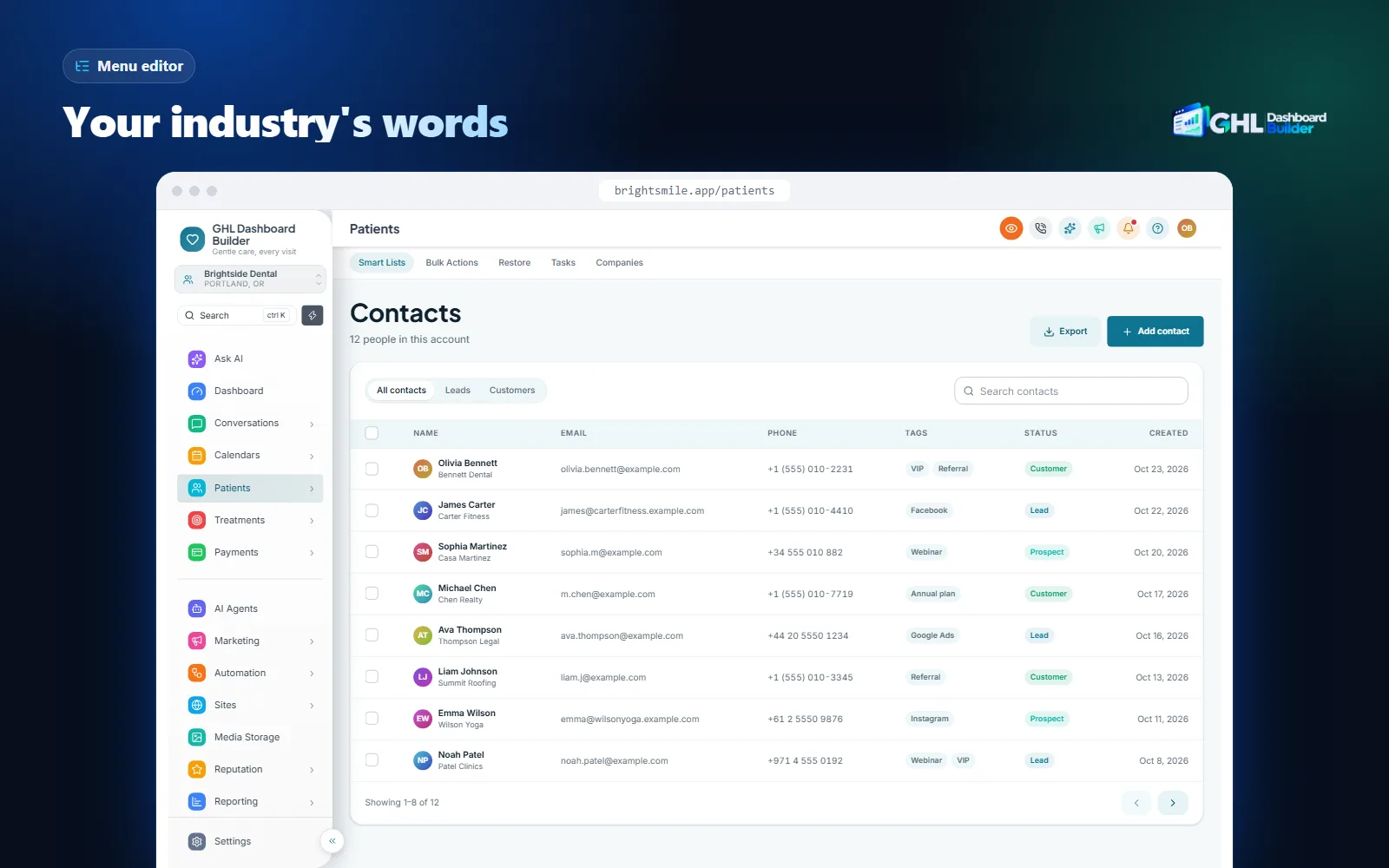
Use the words the floor and the service lane already say: Deals or Desk for Opportunities, Appointments for Calendars, Customers for Contacts, Messages for Conversations. Hide modules the store will never open, such as Memberships and the App Marketplace. A short menu in the team’s words saves more training time than any color change.
HighLevel has no built-in setting to rename its main menu items, so agencies either write custom JavaScript or use a menu editor. Our guide to renaming GoHighLevel menu items compares both, and the page on GHL sidebar and menu customization shows what our menu editor changes.
| HighLevel item | Franchised dealership | Independent repair shop | Detailer or tint shop |
|---|---|---|---|
| Opportunities | Deals | Jobs or Repair orders | Bookings |
| Contacts | Customers | Customers or Vehicles | Clients |
| Calendars | Appointments | Service schedule | Bookings calendar |
| Conversations | Messages or BDC inbox | Messages | Messages |
| Reputation | Reviews | Reviews | Reviews |
| Payments | Deposits | Invoices | Packages and invoices |
| Memberships | Hide | Hide | Memberships, if they sell plans |
| Launchpad, App Marketplace | Hide after setup | Hide after setup | Hide after setup |
Sales and service in one store
A franchised dealership has two very different teams in one sub-account. Salespeople think in deals, ups and test drives; service advisors think in ROs, approvals and pickups. If both teams share one sub-account, use neutral menu words that work for both (Appointments, Messages, Customers) and let the two pipelines carry the department-specific stage names. If the store runs service in its own sub-account, each can get its own menu wording.
Badges that help the floor
Our menu editor on Pro can show live counts on menu items, such as unread conversations or appointments today, and New or Beta labels on items you add. For a BDC, a count on Messages is the most useful badge: it shows at a glance whether anyone is waiting for a reply.
What to hide for automotive clients
Most dealers and shops never use Memberships, Media Storage as a menu item or AI tools they have not tested, and Launchpad is only useful in the first week. Hiding an item is a display choice: the page still exists and can be shown again with one setting. Review after 30 days and hide anything nobody clicked.
How should sales and service pipelines look in HighLevel?
Build two pipelines: a sales pipeline that runs from new lead to delivered car, and a service pipeline that runs from booking to pickup. Keep each to seven or eight stages named the way the team speaks, add a Lost stage with reasons for sales, and put the pipeline board on the screen the manager opens every morning.
HighLevel’s Opportunities area holds any number of pipelines per sub-account, each with its own stages. Our guide to GoHighLevel pipeline customization covers the settings in depth; here are stage sets that suit automotive clients.
A sales pipeline for a dealership
- New lead: an internet, phone or walk-in lead, not yet contacted.
- Contacted: someone has replied by text, call or email.
- Appointment set: a visit or test drive is on the calendar.
- Showed: the customer came in.
- Test drive: the customer drove the vehicle.
- Working the deal: numbers are being discussed; the deal itself lives in the DMS.
- Sold: the customer signed.
- Delivered: the car has left the lot, which triggers the review request.
Add a Lost status with reasons such as bought elsewhere, credit declined, not ready and no response, so the follow-up workflows can treat each one differently. A shopper who is “not ready” should get a slow nurture, not the same three-day cadence as a fresh lead.
A service pipeline for a shop or service department
- Booked: an appointment exists.
- Checked in: the car is on site.
- Inspection: the technician is looking at it.
- Waiting for approval: the customer needs to approve extra work.
- In repair: work approved and under way.
- Ready for pickup: the customer has been told.
- Picked up: the car has gone, which triggers the review request and sets the next service date.
Moving a card to Waiting for approval or Ready for pickup is a natural workflow trigger for a status text. Keep the message plain: “Hi Dana, your Civic is ready for pickup. We are open until 6 pm today.”
What the board should look like
The pipeline board is where a sales manager or service advisor spends the most time, and HighLevel’s default board is generic. A branded board with clear stage headers in the store’s colors makes a crowded pipeline easier to scan, especially on a big screen in the service office.
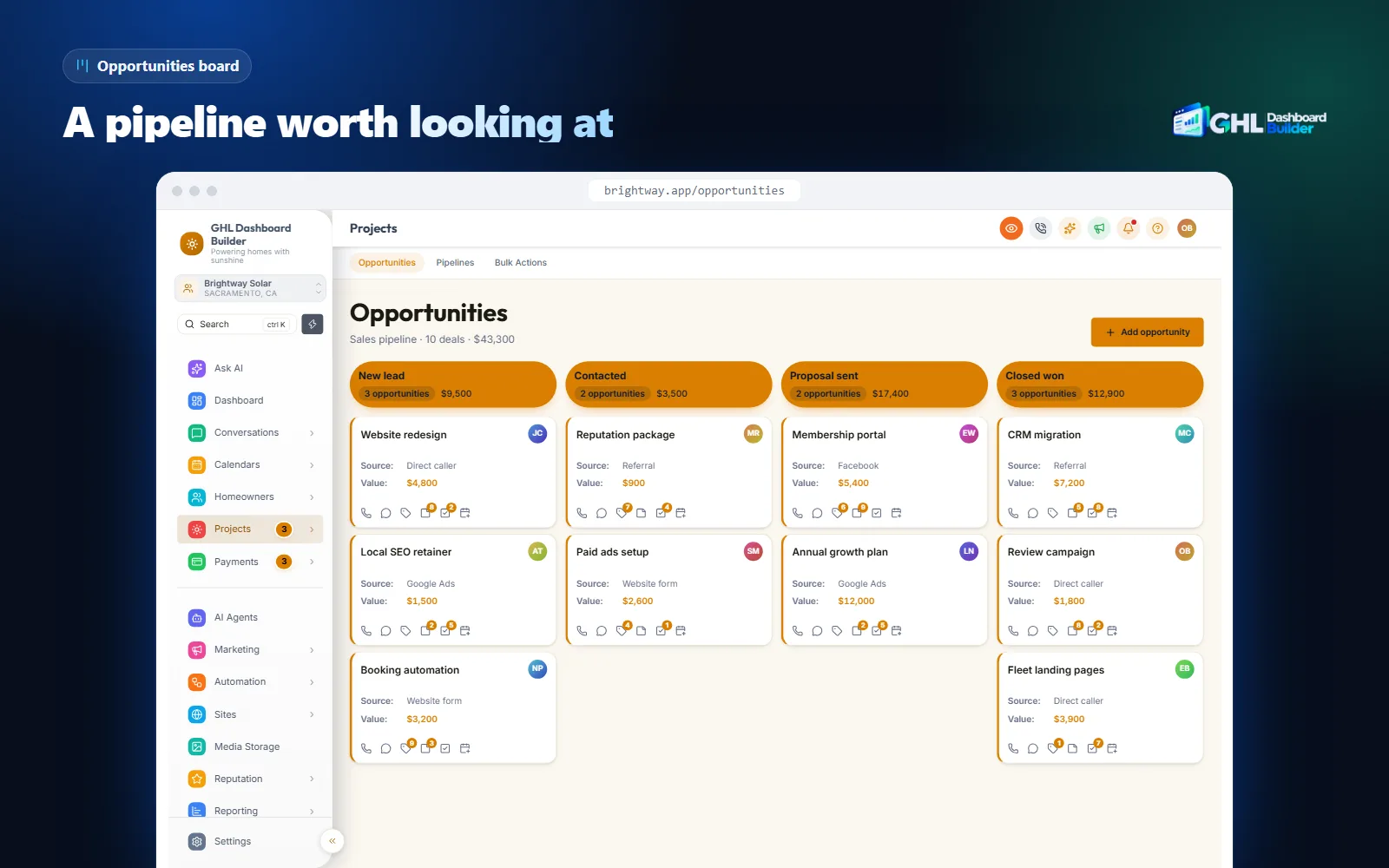
GHL Dashboard Builder’s opportunities board styles HighLevel’s own pipeline board: rounded, square, pill or line stage headers, cards with an accent edge or a soft tint, and your colors. It changes how the board looks, not how pipelines work; stages, values and automations stay exactly as you set them in HighLevel. It is included from the Starter plan.
How do you answer leads fast and stop missing calls?
Answer every new lead automatically within a minute, text back every missed call and make new messages impossible to overlook. In HighLevel that means a lead-response workflow, the Missed Call Text Back setting and a team that sees new conversations the moment they arrive. Most lost automotive leads are slow replies, not bad leads.
Missed Call Text Back
HighLevel’s Missed Call Text Back feature sends an automatic text when an inbound call goes unanswered. At the time of writing it lives under Settings, Phone System, Voice, Voicemail and Missed Call Text Back, where you enable it, write the message and set the ring timeout that decides when a call counts as missed. HighLevel’s help center notes that these texts count toward your messaging usage and that answered calls do not trigger them. For a service department whose phones ring all day, this is usually the first setting worth switching on.
A good automotive text-back is specific: “Sorry we missed your call to Redline Motors service. Reply here with your name and what your car needs, or book online: [link].” Send it from the department’s own number so the reply lands in the right inbox.
A lead-response workflow
- Trigger on a new form submission, a new marketplace lead (via email parsing or an integration) or a new inbound message.
- Send an immediate text and email that names the vehicle the shopper asked about.
- Assign the contact to a salesperson by round robin and create a task.
- If there is no reply after 10 minutes during opening hours, notify the BDC manager.
- Follow up on day 1, day 3 and day 7, then move to a monthly nurture.
- Stop every step as soon as the customer replies or books.
Making new messages visible
Workflows only help if someone answers the replies. HighLevel’s conversations inbox shows unread messages, but staff on the floor rarely sit on that page. This is where on-screen alerts earn their place: a pop-up that names the customer and offers Reply or Call, wherever the user is in HighLevel. Our guide to GoHighLevel dashboard notifications covers the native options and their gaps.
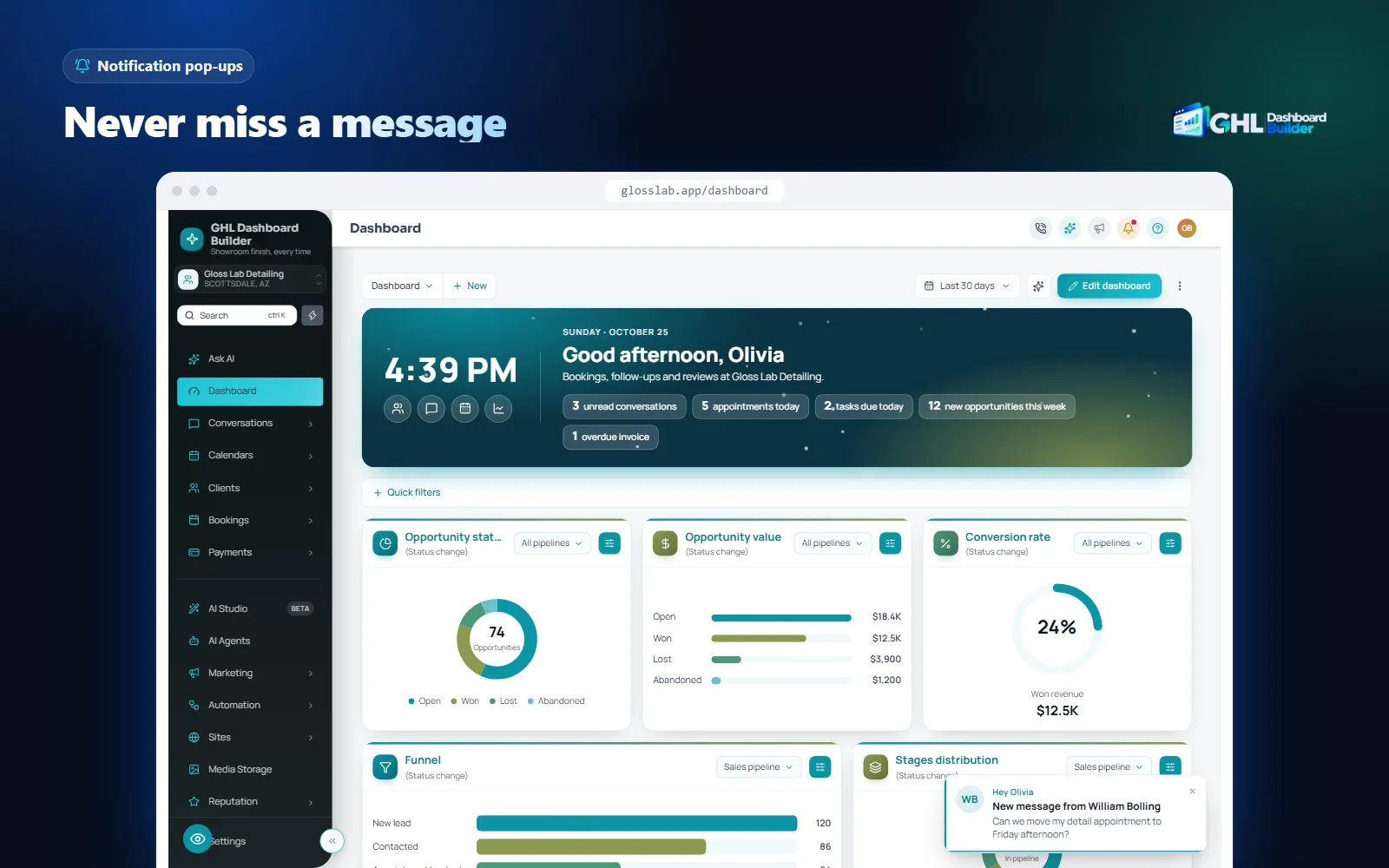
GHL Dashboard Builder’s notification pop-ups show new messages, bookings and payments with a “Hey {name}” greeting, Reply, Mark read and Call buttons, quiet hours and an optional chime. Live counts add the same numbers to the menu and the welcome banner: unread conversations, appointments today, tasks due and new opportunities. Pop-ups are included from Starter; live counts on the menu come with the Pro plan’s menu editor, and our live counts page shows where each number appears.
How do you set up service reminders in HighLevel?
Store the next service date on each customer, then let a workflow send a text before it arrives with a booking link. Keep the data simple: a date, the vehicle and the service type. Reminders based on dates you control are more reliable than reminders based on mileage estimates the CRM cannot see.
Service is where repeat revenue lives. In NADA’s 2025 profile, service and parts made up 13.3% of the average franchised dealership’s total sales, next to 54.9% for new vehicles and 31.8% for used vehicles, as the NADA Data 2025 report shows. The share looks small, but it is the part of the business that brings the same customer back every few months, which is exactly what HighLevel’s reminders do well.
Source: NADA Data 2025, annual financial profile of America's franchised new-car dealerships
Fields to create
| Custom field | Type | Filled when | Used for |
|---|---|---|---|
| Vehicle (year, make, model) | Text | Lead or first visit | Personal messages (“your 2021 RAV4”) |
| Last service date | Date | Car is picked up | Reports, win-back lists |
| Next service due | Date | Car is picked up | Reminder workflow trigger |
| Service type due | Dropdown | Car is picked up | Message wording and booking link |
| Preferred channel | Dropdown | Any time | Text, email or call |
| Marketing consent | Checkbox and date | Form or in person | Who may receive promotions |
The reminder workflow
- In Automation, Workflows, create a workflow with a date-based trigger on the Next service due field. At the time of writing HighLevel’s trigger list includes a custom date reminder; check the current list when you build it.
- Send a text 14 days before the date: “Hi Sam, your 2021 RAV4 is due for an oil change around the 12th. Book a time here: [link].”
- Send a second reminder 3 days before if the customer has not booked.
- If they book, the calendar’s own confirmations and reminders take over.
- When the car is picked up, the service advisor (or a pipeline-stage trigger) sets a new Next service due date, which restarts the cycle.
Seasonal and recall-style campaigns
Shops can add campaigns around the calendar: tire changeovers before winter, air-conditioning checks before summer, inspections before a state deadline. For manufacturer recalls, take the list from the official source the dealer already uses and send plain, factual messages; never make a recall sound like a sales pitch.
What do the FTC Safeguards Rule and other rules mean for a dealer’s HighLevel?
Dealers that arrange or offer financing are treated as financial institutions under the FTC Safeguards Rule, which requires a written security program, multi-factor authentication and oversight of service providers. In practice: keep financial and identity data out of HighLevel, turn on two-factor sign-in and limit what each user sees. This is a checklist for your conversation with the dealer, not legal advice.
The Safeguards Rule
The FTC’s Safeguards Rule guidance explains that covered businesses must designate a qualified individual to run their information security program, assess risks, control access, encrypt customer information and use multi-factor authentication for anyone accessing customer information on their systems. NADA’s Safeguards Rule resources note that the revised requirements took effect for dealers on June 9, 2023. A later amendment, in effect since May 12, 2024, requires covered businesses to notify the FTC of security incidents involving unencrypted information of at least 500 consumers.
What that means for you as the agency:
- Keep sensitive data out of HighLevel. Social Security numbers, credit applications, driver’s licence scans and bank details belong in the DMS or the credit platform, not in a marketing CRM. A lead form on the dealer’s website should never collect them through HighLevel.
- Turn on two-factor authentication for every user in the dealer’s sub-account and for your own agency users.
- Expect a vendor review. The dealer’s qualified individual may ask how your agency stores logins, who has access and which apps connect to the account. Have short, honest answers ready.
- Limit access by role. HighLevel’s user permissions and assigned data settings let you restrict a salesperson to the contacts and conversations assigned to them, which is a sensible default on a sales floor.
The CARS Rule and pricing claims
The FTC’s Combating Auto Retail Scams (CARS) Rule, which targeted bait-and-switch pricing and hidden add-on fees, was vacated by the Fifth Circuit in January 2025 on procedural grounds, as Holland & Knight’s summary of the decision explains. Federal and state rules against unfair and deceptive practices still apply. For an agency, the practical rule stays the same: any price, payment or “offer” in a text, email or funnel must be one the dealer has approved in writing.
Text messaging
Business texts from US local numbers need A2P 10DLC registration, a brand and a campaign registered through HighLevel’s LC Phone Trust Center, as HighLevel’s A2P 10DLC overview describes. Register the dealer’s actual use (customer care and marketing are different campaign types), collect consent on every form and honour STOP replies. Service status texts and marketing promotions should be treated separately in your consent records.
Screen shares and the showroom screen
Agencies serving dealers share screens constantly: demos to new stores, training for a new BDC hire, support calls with a general manager. A dealer’s account is full of names, phone numbers and deal values. Use a demo sub-account with invented customers for sales calls and recordings, share one tab instead of your whole screen and close the conversations panel before sharing. Our guide to hiding client data on screen shares walks through the routine. When you must open a live account, GHL Dashboard Builder’s privacy mode blurs contact names, emails, phone numbers, the conversation list and deal values with one click. It hides data on screen only; access is still controlled by HighLevel’s user permissions.
How do you set up HighLevel for a car dealership, step by step?
Build the working account first, then add the design, then test it with a salesperson and a service advisor. Fields, pipelines and workflows are easier to brand once they are final, and real staff find gaps an admin never sees. Menu paths below match HighLevel’s help center at the time of writing; HighLevel moves things now and then.
Infographic
HighLevel for car dealershipsin six stages
- 1
Set the basics
Time zone, business hours for sales and service, phone numbers and A2P registration.
- 2
Add vehicle fields
Vehicle, service dates, consent and preferred channel on every customer.
- 3
Build two pipelines
Sales from new lead to delivered, service from booked to picked up.
- 4
Write the workflows
Lead response, missed-call text back, service reminders and reviews.
- 5
Install the design
Torque look, Deals menu, branded board and pop-ups via two lines of code.
- 6
Test with real staff
A salesperson and a service advisor walk through a normal day.

Stage 1: Basics
- Create the dealer’s sub-account from the agency view.
- In Settings, Business Profile, set the time zone, address and business hours. Sales and service usually keep different hours; reflect both in calendar availability.
- Buy or port the store’s numbers in Settings, Phone System, one for sales and one for service if the store uses two, and start A2P 10DLC registration in the Trust Center early, because approval can take time.
- Turn on two-factor authentication for every user.
Stage 2: Fields and permissions
- Under Settings, Custom Fields, create the vehicle, service-date, service-type, preferred-channel and consent fields from the table above.
- Do not create fields for Social Security numbers, credit details or licence numbers.
- Under Settings, My Staff, add users with roles; give salespeople access to assigned data only, and give the BDC manager full access.
Stage 3: Calendars and pipelines
- Create calendars for test drives, appraisals, service appointments and deliveries, each with realistic durations and buffers.
- Under Opportunities, build the sales and service pipelines from the earlier section.
- Add Lost reasons for the sales pipeline.
Stage 4: Workflows
- Lead response with round-robin assignment and a 10-minute escalation.
- Missed Call Text Back for each department’s number.
- Appointment confirmations, reminders and a no-show follow-up.
- Service status texts on pipeline stage changes.
- Service reminders from the Next service due date.
- A review request after Delivered and Picked up, sent a few hours later, not instantly.
Stage 5: Install the design
- Finish the identity layer at agency level under Settings, Company: logo, white-label domain and legal links. Our white-label checklist for GoHighLevel lists every setting.
- Design the store’s look in the builder: Torque or Shine, the dealer’s colors and logo, the Deals menu, the branded board, pop-ups and privacy mode.
- In the agency view, open Settings, Company, Whitelabel, Custom Code, copy anything already in the boxes into a text file as a rollback, and paste the two new lines. Our two-line install page shows the process, and on every plan we do it for you.
- Limit the design to the dealer’s sub-account if your other clients should keep their current look.
Stage 6: Test with real staff
- Log in as a salesperson, not an admin, and walk through a normal day: a new internet lead, a reply, a test drive booking, moving a deal to Sold.
- Repeat as a service advisor: a booking, a status text, an approval, a pickup.
- Check the screens on the tablet or phone the service lane uses.
- Ask one person to find three things without help, and rename anything they hesitate over.
Can one agency brand its automotive clients and keep other clients unchanged?
Yes. HighLevel applies custom code at agency level, but GHL Dashboard Builder can limit a design to the sub-accounts you choose, by link or Location ID. Your dealers and shops see the automotive design, while every other sub-account and the agency view keep plain HighLevel, all from one install.
This suits how agencies usually grow an automotive niche: one pilot store first, then a handful of similar clients. One design is shown in the sub-accounts you pick. If a dealer group wants a different look per rooftop, or you serve both a dealership and a detailer that need very different styles, talk to us on our contact page about the setup; Pro includes up to 3 designs and Agency up to 100. Our guide to GoHighLevel for home services shows the same pattern for roofers and trades, which many automotive agencies also serve.
Dealership, repair shop or detailer: which setup fits?
The right setup depends on how the business makes money. A dealership needs fast lead response and two pipelines, a repair shop needs bookings and service reminders, and a detailer needs packages and rebooking. Use the table to decide what to build first and which design and plan fit.
| Decision | Franchised or used-car dealer | Repair, tire or collision shop | Detailer, tint or ceramic coating |
|---|---|---|---|
| Main HighLevel job | Lead response and appointments | Bookings, status texts and reminders | Online booking and rebooking |
| Busiest screen | Conversations and the deal board | Calendar and the service board | Calendar and payments |
| Key workflow | New lead cadence with escalation | Next service due reminders | Rebook after 4 to 8 weeks |
| Opportunities renamed to | Deals | Jobs or Repair orders | Bookings |
| Data to keep out of HighLevel | Credit apps, SSNs, licence scans | Payment card details | Payment card details |
| Design starting point | Torque | Torque or a clean light template | Shine |
| Plan that usually fits | Pro, for the Deals menu and live counts | Starter if menu words can stay, Pro to rename | Starter or Pro |
For an agency with several automotive clients, the decision is mostly about the number of designs and whether you need the menu editor. One look across all stores fits Starter if HighLevel’s default menu words are acceptable. Renaming Opportunities to Deals, hiding tools and showing live counts on the menu needs Pro. A dealer group with a strong brand across many rooftops may want the Agency plan’s look designed by our team.
What can go wrong, and what doesn’t a dealer theme solve?
A theme changes how HighLevel looks and what its menu says. It does not connect HighLevel to the DMS, desk deals, write repair orders or make the dealer compliant with financial privacy rules. HighLevel does not officially support custom code, so a platform update can require a theme refresh, and the theme does not change HighLevel’s mobile app.
Common problems and fixes
- Promising a DMS integration. Do not, unless the dealer’s DMS provider confirms one. Start with email lead parsing and manual updates, and add integrations only once they exist.
- Duplicate leads. The same shopper arrives from several sources. Turn on duplicate contact handling in the sub-account settings and train the BDC to merge rather than create.
- Texts that stop delivering. Unregistered or wrongly registered A2P campaigns get filtered by carriers. Register early and match the campaign to what the dealer actually sends.
- Salespeople seeing each other’s leads. Set assigned-data-only permissions for floor staff, and remember that admin users see everything.
- Sensitive data creeping in. A well-meaning salesperson uploads a licence photo to a contact. Write a one-line rule for the team and check new contacts during the first month.
- Platform updates. HighLevel ships changes often. On Starter and Pro, 12 months of updates are included, then optional at $99 a year; Agency includes lifetime updates. Without updates, the theme keeps working as it is.
What branding does not do
A branded dealer dashboard will not sell cars or fill a service lane on its own. What it does is practical: the floor finds things faster because the menu uses its words, the manager reads the deal board at a glance, replies are not missed because new messages pop up on screen, and the dealer sees your agency’s platform rather than a resold tool. The installed code does not change HighLevel’s login page on its own; on Pro and Agency we design the branded login page with you, as our page on GoHighLevel login page customization explains. Our hub page on GHL dashboard customization lists everything else you can change, and the FAQ answers common install questions.
What to do next
- Agree the split with the client. Write down which jobs HighLevel handles (leads, messages, appointments, reminders, reviews) and which stay in the DMS, and confirm what customer data must never enter HighLevel.
- Build the two pipelines and the core workflows. Start with lead response, Missed Call Text Back and service reminders; they deliver results in the first week.
- Try the automotive look. Open the free builder, load Torque or Shine, add the store’s colors and logo and rename Opportunities to Deals.
- Pick the plan that matches your client mix. Starter for one look with default menu words, Pro for the Deals menu, live counts and the login page, Agency for many dealer designs. Compare them on the pricing page.
- Test with a salesperson and a service advisor before you hand the account over, and review the menu after 30 days.