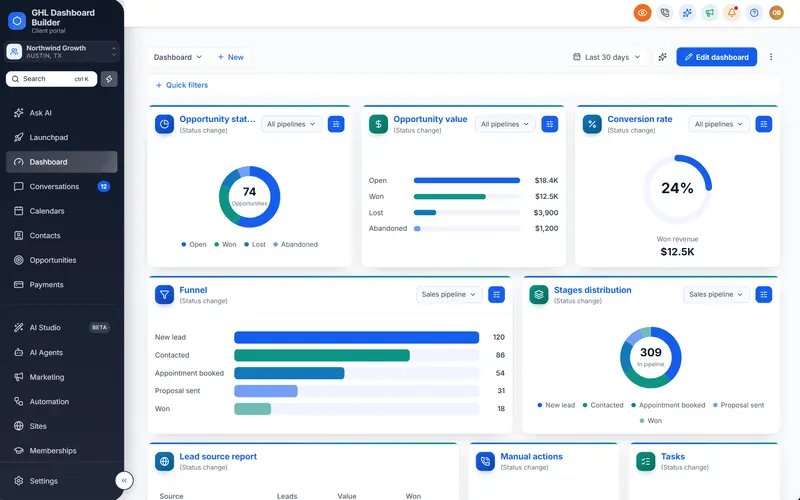
A beauty salon in Milan signs up for your platform. The manager switches HighLevel to Italian and most of the screen changes. Then a builder still shows English, a menu item reads Abbonamenti for the salon’s loyalty courses and for its card subscriptions alike, a term in the Sites area sounds like a word-for-word translation, and the colors look exactly like the software another agency in town resells. The owner asks two questions: “È davvero in italiano?” and “Questo gestionale è davvero vostro?”
This guide answers both for HighLevel in Italian. It covers what HighLevel (also called GoHighLevel or GHL) shows in Italian natively today, where the native translation stops, what a branded Italian menu adds, whether the dashboard should say tu or Lei, which words to use for each industry, how Italy and Italian-speaking Switzerland write prices and dates, what Italian e-invoicing and data protection mean for your setup, why one capital letter can triple the cost of an Italian SMS, and a step-by-step setup. GHL Dashboard Builder is an independent design service and is not affiliated with HighLevel; where our product helps, we say exactly what it does and where it stops.
Can HighLevel be used in Italian today?
Yes. HighLevel offers Italian as a built-in platform language. Each sub-account has a default language and each user can choose their own. Where part of the interface has no translation yet, HighLevel shows English, so the result is mostly Italian rather than completely Italian.
Where the native setting lives
HighLevel’s help center article on internationalization describes two levels of language setting:
- The sub-account default. In a client’s sub-account, open Settings, Business Profile and choose Platform Language. Everyone in that sub-account sees this language unless they pick another one.
- The user’s own choice. Each user can open Settings, My Profile and choose their own Platform Language. The user’s choice takes priority over the sub-account default.
A sub-account is one client’s workspace in HighLevel; HighLevel also calls it a location. At the time of writing, the article lists Italian next to languages such as Spanish, French, German, Portuguese and Dutch, and it explains that text without a translation falls back to English. There is one Italian option, used both in Italy and in Italian-speaking Switzerland.
What Italian users have reported
Italian-speaking agencies have used HighLevel’s ideas board to point out where the native translation sounds wrong. A post about the Sites area, Italian translate error in Sites part, flags terms such as Imbuti, a literal translation of Funnel that Italian marketers do not use, and Forme where the right word for forms is Moduli. A separate request titled Traduzione incompleta o errata, “incomplete or wrong translation”, argues that for the Italian market a complete translation across every part of the platform matters, and that literal or missing translations are a problem.
Those reports matter for one reason. Italian clients do not only want Italian; they want natural Italian that sounds like their trade, and an agency that can fix a wrong word. At the time of writing, HighLevel’s native setting does not let an agency rewrite its translated labels, so an awkward term stays until HighLevel changes it.
Who reads Italian, and why it matters to your agency
Italian is the working language of one large European market and a smaller, wealthy one next door. Italy had about 58.9 million residents on 1 January 2025, according to Istat’s demographic indicators for 2024. In Switzerland, Italian is the main language of about 8% of residents, mostly in Ticino and parts of Graubünden, according to Federal Statistical Office figures reported by Swissinfo. San Marino and Vatican City also work in Italian.
For an agency, that means two things. First, Italian small businesses expect their gestionale, the everyday management software, to be in Italian: a receptionist at a dental practice in Bologna or a booking clerk at a hotel on Lake Garda works in Italian all day. Second, Italian business software has its own conventions, with many English loanwords kept on purpose, so a translation that replaces every English word reads as odd as one that leaves too many.
Infographic
Italian and your HighLevel clientsby the numbers
58.9M
residents in Italy on 1 January 2025
(Istat)
8%
of Swiss residents with Italian as a main language
(Swiss FSO, via Swissinfo)
41 of 98
menu and tab labels in our Italian pack are longer than in English
(GHL Dashboard Builder)
15
dashboard languages in GHL Dashboard Builder, Italian among them
(GHL Dashboard Builder)
Sources: Istat, Indicatori demografici 2024; Swiss Federal Statistical Office figures reported by Swissinfo; GHL Dashboard Builder language packs, counted November 2026.

What does HighLevel show in Italian, and what stays in English?
HighLevel’s native Italian translates much of the web interface for users who choose it, with English wherever a translation is missing. Your clients’ customer-facing content, such as SMS, WhatsApp messages, emails, forms and funnels, is Italian only if someone writes it in Italian. Branding and industry wording are not part of the language setting at all.
That split matters before a sale. A client who expects every screen in Italian will find English somewhere sooner or later, most often in builders, automations, newer features and validation messages. HighLevel ships changes often, so treat any list of untranslated screens as a snapshot and check the screens your client actually uses.
| Part of GoHighLevel | Native Italian today | With a branded Italian theme | Who controls the words |
|---|---|---|---|
| Left menu (sidebar) and its 19 items | Yes, HighLevel’s standard translation | Yes, in your wording, with trade renames | You, through the theme |
| Header search, notifications, profile menu | Mostly, where translated | Yes, for the parts the theme restyles | You, through the theme |
| Text inside HighLevel’s own pages | Mostly, with English fallback | Unchanged, follows the user’s Platform Language | HighLevel |
| Sites area (funnels, websites, forms) | Translated, with reported literal terms | Menu entry and tabs in your wording; inner page unchanged | HighLevel |
| Workflow, funnel, website and email builders | Partly | Unchanged | HighLevel |
| Colors, fonts, logo placement, layout | Not part of the language setting | Yes, your brand across the dashboard | You |
| SMS, WhatsApp and email content | Any language you type | Not affected | You or the client |
| HighLevel’s mobile app and system emails | Follow HighLevel | Not affected | HighLevel |
Why the two layers work together
The native setting and a theme do different jobs. HighLevel’s Platform Language decides the text inside HighLevel’s own pages, for each user. A theme decides how the dashboard looks and what the menu and navigation say, for each sub-account it covers. The best Italian setup for most clients uses both: Italian as the Platform Language, so inner pages read in Italian where HighLevel has translated them, and a branded Italian menu, so the screen the team opens every morning carries your brand and their words.
For Italian, as for French, German and Spanish, the value of a theme is not translation from nothing. It is control: your brand, your client’s words, and labels short enough for the sidebar. Our overview of GoHighLevel’s languages compares every language side by side, and our guide to HighLevel in French covers the closest comparable case, including the split between France and Switzerland.
How does GHL Dashboard Builder put GoHighLevel in Italian?
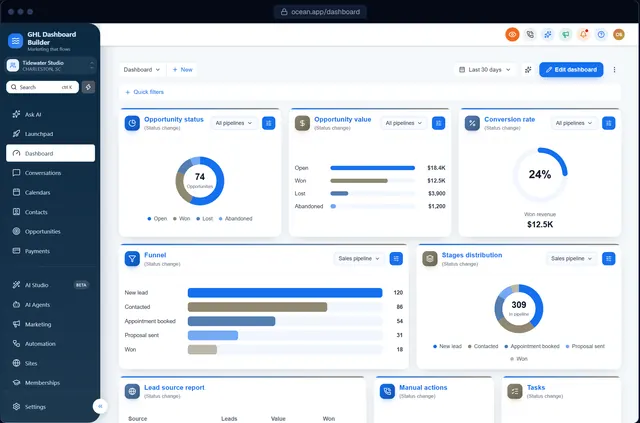
GHL Dashboard Builder translates GoHighLevel’s menu and navigation into Italian in your brand, lets you rename any menu item in your own Italian wording, can limit the Italian design to chosen sub-accounts, and installs as one CSS line and one JavaScript line in HighLevel’s custom code settings. Text inside HighLevel’s own pages keeps following each user’s Platform Language.
GHL Dashboard Builder is an independent design service that turns the standard HighLevel (GoHighLevel) dashboard into a branded platform: your colors, menu, login design, privacy mode and your clients’ language, installed with two lines of code. For Italian, the relevant pieces are the built-in Italian language pack, the menu editor, sub-account targeting, privacy mode, the templates and the install itself. It is the same approach as our GoHighLevel white label dashboard, with Italian as the working language.
What the Italian setup includes
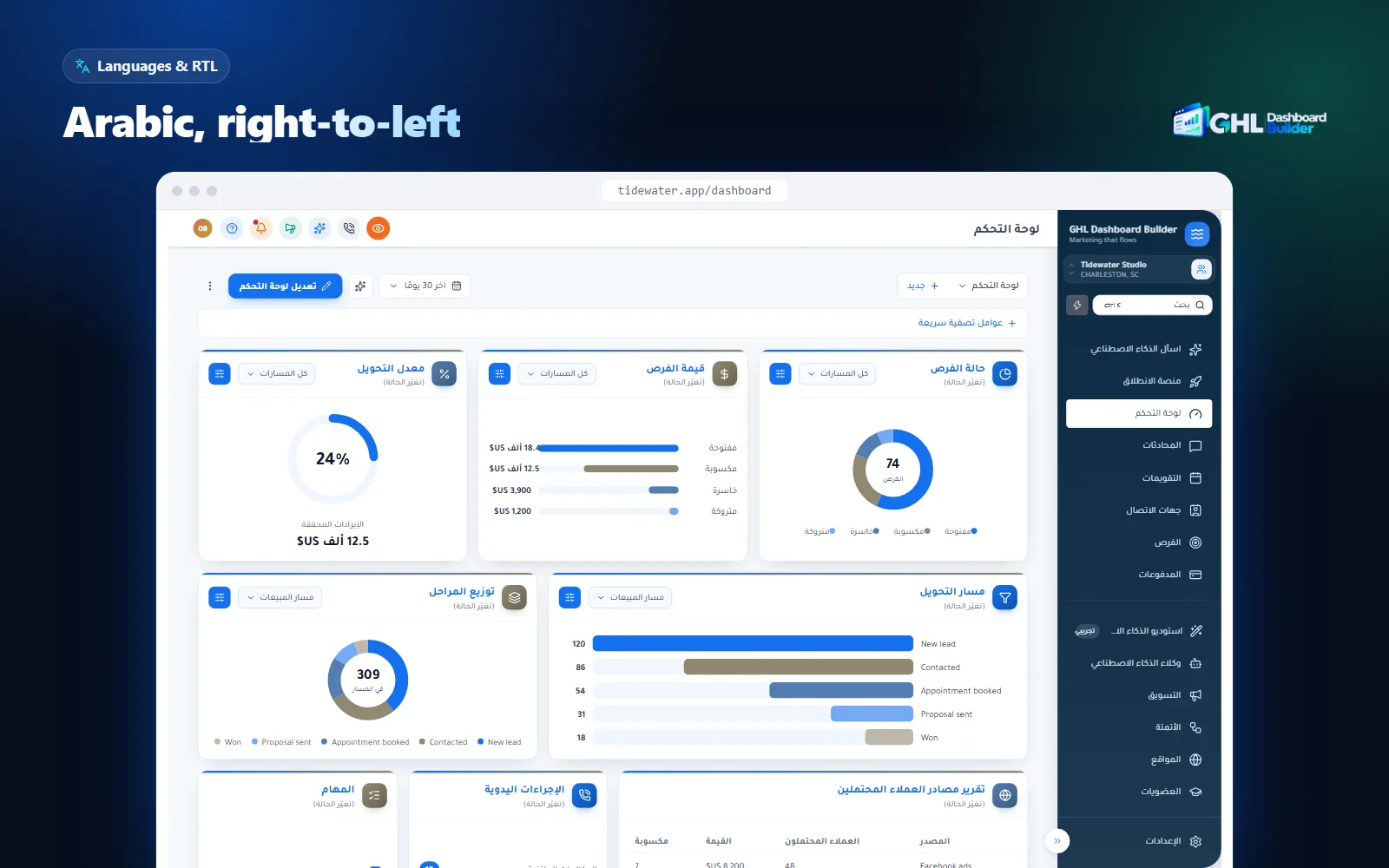
- An Italian pack. The menu, the sidebar’s search and sub-account switcher (“Cambia sub-account”), the header search box (“Cerca contatti, trattative, conversazioni…”), notifications, the profile menu (“Il mio profilo”), common buttons such as Salva and Annulla, and the tab names our theme shows are translated. Menu items read Dashboard, Conversazioni, Contatti, Opportunità, Calendari, Pagamenti, Marketing, Automazione, Siti, Abbonamenti, Reputazione, Report and Impostazioni. Italian is one of 15 languages; 3 of them (Arabic, Urdu and Hebrew) read right to left, and Italian uses the normal left-to-right layout.
- The loanwords Italian teams already use. The pack keeps the English words that Italian marketing and sales teams use at work: Dashboard, Marketing, Pipeline, Workflow, Funnel, Report and Launchpad. Funnel stays Funnel, not Imbuto, and forms are Moduli. We counted 13 of the pack’s 98 menu, sidebar and tab labels that are identical to English, on purpose.
- IA, not AI, where Italians write it. Items such as Chiedi all’IA and Agenti IA use IA, the Italian abbreviation for intelligenza artificiale, while product names such as AI Studio stay as HighLevel calls them.
- Your own wording. Override any translated label, so a clinic’s team sees Pazienti instead of Contatti, and a client in Lugano can see the words its Swiss staff prefer.
- Menu editor. Rename, reorder, hide and badge any of HighLevel’s 19 menu items, and add your own items.
- Privacy mode in Italian. The eye button in the header is labelled Modalità privacy and blurs names, emails, phone numbers, the conversation list and deal values before a screen share.
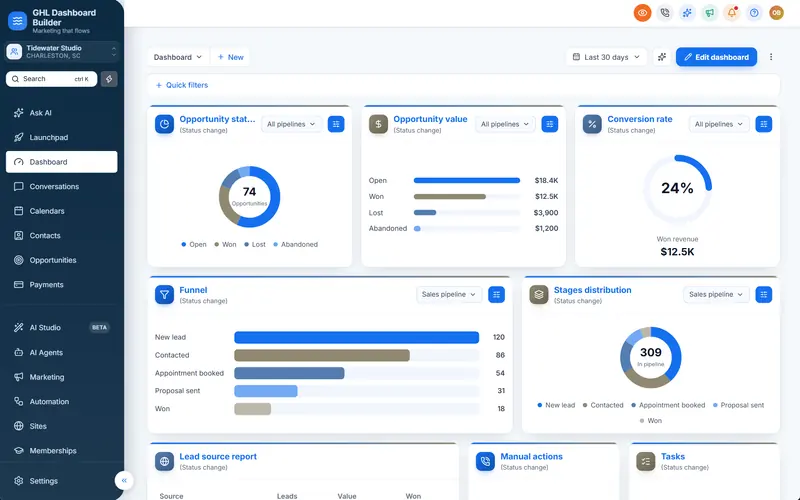
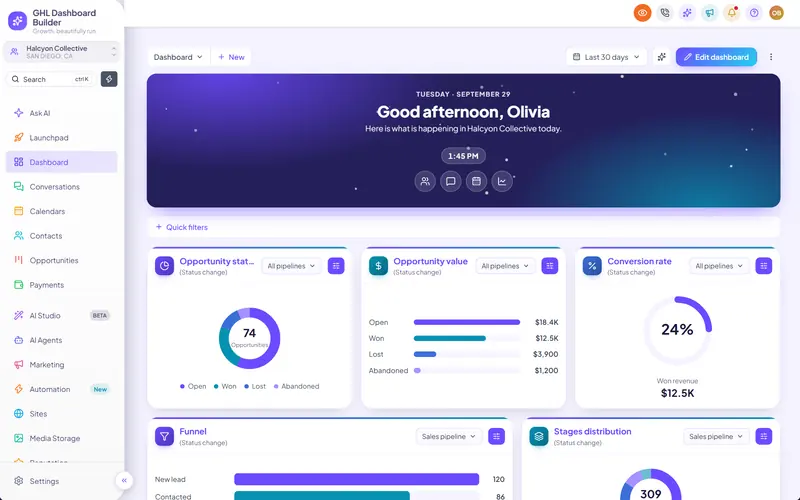
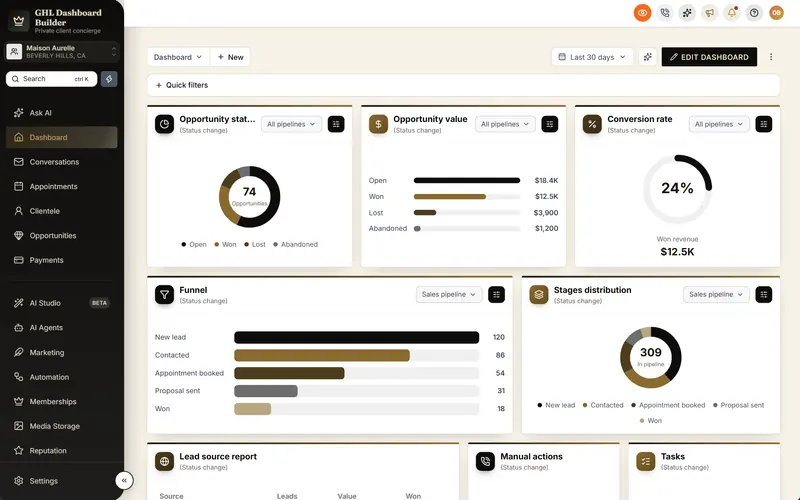
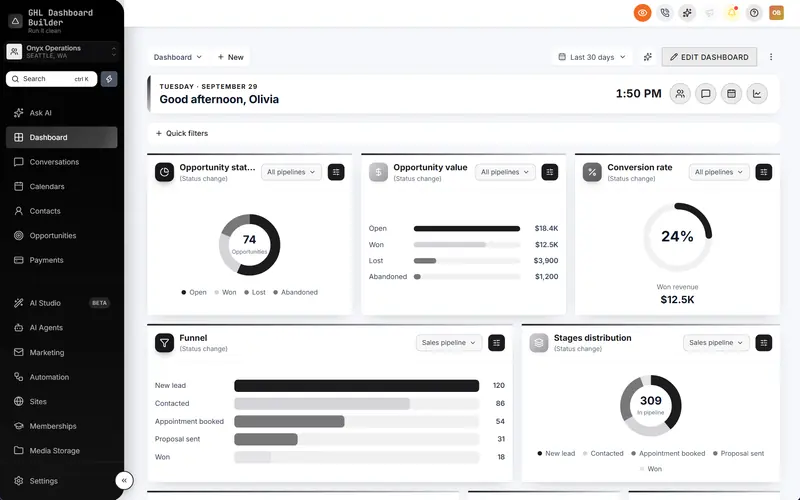
- Templates. Start from one of 31 templates, then set the language to Italian. For Italian restaurants and hotels we often suggest the Saffron template, deep wine, saffron gold and cream, and for salons and wellness studios the Serene template, sage, blush and sand on a quiet light sidebar.
- No data access. The builder never connects to your HighLevel account and the installed code does not send data anywhere.
The language section of the builder is where the switch happens: pick Italian, and the preview’s menu and navigation change at once, so you and the client can judge the labels before anything is installed.
At a glance: features, what they do, which plan
| Feature | What it does for your Italian-speaking clients | Plan |
|---|---|---|
| Languages | Menu and navigation in Italian, with your own wording for any label | Pro and Agency |
| Menu editor | Rename, reorder, hide and badge the 19 menu items: Pazienti, Prenotazioni, Immobili | Pro and Agency |
| Brand and colors, fonts | Your color system and fonts across the dashboard | All plans |
| Templates | 27 finished looks, including industry designs, as a starting point | All plans |
| Privacy mode | Modalità privacy button that blurs client data during screen shares | All plans |
| Single sub-account | The Italian design only for chosen sub-accounts, by link or Location ID | All plans |
| Login page design | 25 login designs in your colors; HighLevel’s Platform Language picker stays on the sign-in page | Pro and Agency |
| Two-line install | One CSS line and one JavaScript line; changes go live with Deploy to live | All plans, installed by us |
All three plans are one-time payments with no monthly fee, plus a one-time $100 setup fee on every plan, for which we install and configure the design in your HighLevel. Starter ($280) gives one branded design from any template, without the language section. Pro ($480) adds up to 3 designs, the menu editor, the dashboard in Italian or any of the other 14 languages and the branded login page. Agency ($880) adds up to 100 designs, a look designed by our team, custom CSS and JavaScript and lifetime updates. Starter and Pro include 12 months of updates, then optional at $99 a year. The full list of what each feature does is on our features page.
What the client sees afterwards
After installation, a user in the Italian sub-account logs in on your white-label domain and sees the sidebar in your colors with labels such as Conversazioni, Calendari and Contatti, or the renames you chose, such as Pazienti. When they open a settings page or a builder, they see HighLevel’s own text in the Platform Language they chose: Italian for most of the interface and English on screens HighLevel has not translated yet. You can click through a live Italian preview on our Italian language page.
Which Italian words should the GoHighLevel menu use for each industry?
Use short, everyday Italian and rename the items where your client’s trade has its own word. HighLevel calls every person a contact and every deal an opportunity in every language, while a clinic thinks in Pazienti, a restaurant in Prenotazioni and an estate agency in Immobili. When the menu matches the way the business talks, staff find things faster and training takes less time.
Industry renames in Italian
Here are renames agencies commonly choose, based on the industry wording in our templates:
- Dental and medical practices (studi medici e dentistici): Contatti becomes Pazienti, Opportunità becomes Trattamenti or Preventivi.
- Lawyers and accountants (studi legali, commercialisti): Contatti becomes Clienti or Assistiti, Opportunità becomes Pratiche.
- Real estate (agenzie immobiliari): Opportunità becomes Immobili or Trattative.
- Gyms and fitness: Contatti becomes Iscritti or Soci.
- Restaurants and hotels: Calendari becomes Prenotazioni.
- Home services and trades: Opportunità becomes Interventi or Preventivi.
- Beauty, hair and wellness: Calendari becomes Agenda or Appuntamenti.
- Car dealers and workshops: Opportunità becomes Trattative, Calendari becomes Appuntamenti or Test drive.
- Coaches, schools and course creators: Abbonamenti becomes Corsi or Area riservata.
Fix the Abbonamenti double meaning first
One rename is worth making for almost every Italian client that sells memberships. In Italian, abbonamento means both a membership and a recurring subscription, and our own pack uses Abbonamenti for HighLevel’s Memberships menu item and for the Subscriptions tab under Pagamenti. For a gym that sells monthly passes or a coach with a paid community, that means two places called Abbonamenti with very different jobs. Rename the Memberships item to Corsi, Area riservata or Community, and the confusion disappears. The same issue appears in Portuguese with Assinaturas, which we cover in our guide to HighLevel in Portuguese.
Why Italian labels need extra care
Italian labels are often longer than English ones, because Italian uses a noun and a phrase where English stacks two nouns: Media Storage becomes Archivio multimediale and Calendar Settings becomes Impostazioni calendario. We counted the characters in our own Italian pack: 41 of the 98 menu, sidebar and tab labels are longer in Italian than in English, 24 are shorter, and the rest are the same length. The chart shows the clearest cases.
English character counts in brackets. Source: GHL Dashboard Builder Italian and English language packs, counted November 2026.
Three habits keep an Italian menu tidy. First, shorten where meaning allows: Archivio multimediale can become File or Media, and Impostazioni globali dei workflow can become Impostazioni workflow. Second, hide the items a client never uses, so the menu shows six short words instead of nineteen long ones. Third, check the menu at the width your client actually uses, including a laptop at 125% zoom, where long labels wrap first.
How to choose the words with your client
- List the items each role uses. A front desk may need only Conversazioni, Calendari and Contatti. Hide the rest for that client so the menu stays short.
- Ask what they call each thing today. If a practice says Pazienti in every meeting, the menu should too.
- Agree the loanwords. Many Italian teams say Lead, Pipeline and Funnel at work; others prefer Contatti potenziali or Trattative. Pick one and keep it.
- Agree the form of address once, and use it everywhere the client’s customers and staff read.
- Review with a native speaker on the client’s team before launch, not after.
Our guide to renaming GoHighLevel menu items walks through the menu editor in detail, and the GHL sidebar and menu customization page shows everything you can change in the sidebar.
The menu editor is where those decisions become real: each of HighLevel’s menu items has its own field, so typing Pazienti, Prenotazioni or Corsi replaces the generic word for every user of that client.
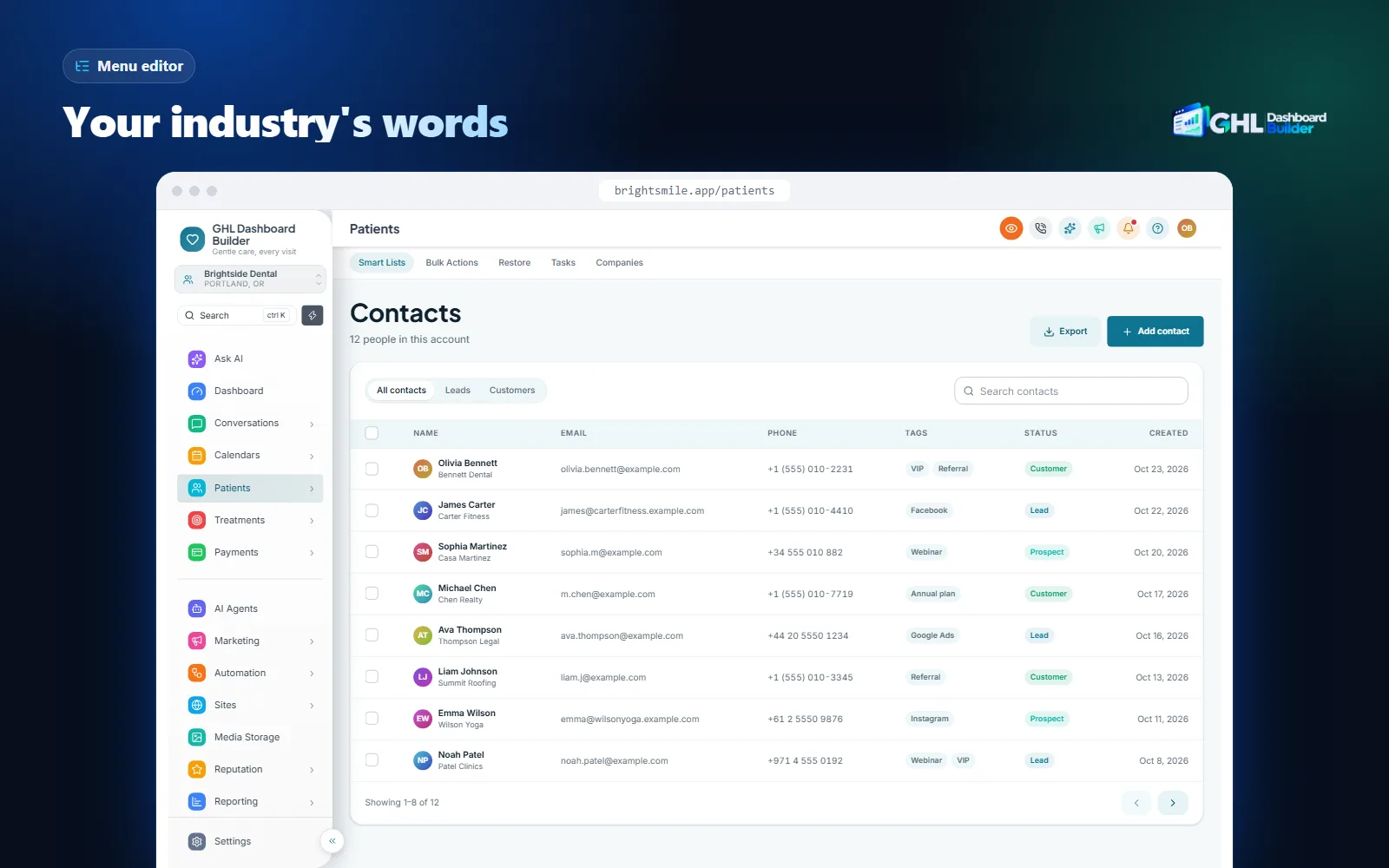
The menu editor writes the same wording into every sub-account the design covers, so the renames above appear for every user of that client. Users who prefer English inner pages can still set their own Platform Language; the menu keeps your Italian wording.
Tu or Lei: how should an Italian dashboard address your clients’ teams?
Use tu, or wording that addresses no one, inside the software, and let each client choose the form for its own customers. Many modern Italian apps use the informal tu with their users, while many professional firms still write to their customers with the formal Lei. Mixing the two in one client’s platform is what makes Italian copy look careless.
What our pack does
Where our Italian pack addresses the user, it uses tu. The setup guide greets the user with “Ciao {name}, ecco la tua lista di configurazione personalizzata con tutto ciò che ti serve per iniziare”, and buttons use plain imperatives such as Salva, Annulla, Cerca and Aggiungi, which read naturally whatever the form of address. Menu items are nouns, so they never address anyone at all. That combination suits most small businesses in Italy, where staff are used to tu in apps on their phones and computers.
Where Lei still matters
Customer-facing messages are a different decision. A law firm, a private clinic or a wealth manager will often want Lei in every SMS and email: “La ricordiamo che il Suo appuntamento è domani alle 10:00”. A gym, a pizzeria or a beauty salon is more likely to write tu: “Ti ricordiamo l’appuntamento di domani alle 10:00”. Both are correct; what matters is that the client chooses once and the agency applies it everywhere, from reminders to review requests.
Greetings and gender
Italian adjectives agree with gender, which affects greetings more than menus. A greeting such as “Bentornato, Giulia” is masculine and reads wrong to a female user; “Bentornata” is the feminine form. When you write your own greeting text for a client, in a welcome banner or a workflow message, prefer forms that work for everyone, such as “Ciao, {name}” or “Buongiorno, {name}”, or keep a gender field and branch on it in workflows.
| Situation | Suggested form | Example |
|---|---|---|
| Menu and buttons | Nouns and imperatives | Contatti, Salva, Cerca |
| Help text inside the dashboard | Tu | Aggiungi il tuo primo contatto |
| Greeting a user | Neutral | Ciao, {name} |
| Reminders for a salon, gym or restaurant | Tu | Ti ricordiamo l’appuntamento di domani |
| Reminders for a law firm or private clinic | Lei | La ricordiamo che il Suo appuntamento è domani |
| Formal documents and invoices | Neutral or Lei | Gentile cliente, in allegato la fattura |
How should prices, dates and numbers look for clients in Italy and Ticino?
Italy writes 12.345,5 with a point between thousands and a comma for decimals, and prices as 1234,50 € with the euro sign after the amount. Italian-speaking Switzerland writes 12’345.5 and CHF 1234.50. Both use the 24-hour clock and write dates day first, and an English-formatted price such as €1,234.50 looks wrong to readers in either country.
What locale data says
Browsers and most software take number and date formats from the Unicode Common Locale Data Repository (CLDR), a shared database of how each language and country writes numbers, dates and currencies. We checked Italian locales in Node.js 22 with ICU 78.3, which ships CLDR version 48:
| Locale | Number 12,345.5 | Price 1,234.50 in local currency | Short date, 15 November 2026 | Long date | Time, 3:30 pm | First day of week |
|---|---|---|---|---|---|---|
| it-IT (Italy) | 12.345,5 | 1234,50 € | 15/11/26 | 15 novembre 2026 | 15:30 | Monday |
| it-CH (Switzerland) | 12’345.5 | CHF 1234.50 | 15.11.26 | 15 novembre 2026 | 15:30 | Monday |
| en-US (for comparison) | 12,345.5 | $1,234.50 | 11/15/26 | November 15, 2026 | 3:30 PM | Sunday |
Four details matter in practice. First, an Italian reader sees 1.234 as one thousand two hundred and thirty-four, so an English-formatted price reads like a typo. Second, CLDR’s Italian data does not group four-digit amounts, so 1234,50 € is correct and the thousands point appears only from five digits, as in 12.345,50 €. Third, month and weekday names are written in lower case in Italian, as in “domenica 15 novembre”, and a capitalized “Novembre” in a reminder looks machine-translated. Fourth, a client in Ticino uses Swiss formats, with points and apostrophes, even though the language is the same; do not “correct” their prices to the Italian style.
Weeks, holidays and business hours
CLDR gives Monday as the first day of the week for Italy and Switzerland, and that is how Italian teams read a week view, so set calendars to start on Monday. Italy has a single time zone with summer time, which makes reminders simpler than in larger countries, but confirm reminder times after the clocks change in spring and autumn.
Holidays need more care than the national calendar suggests. Many Italian cities close for their patron saint’s day, such as Sant’Ambrogio in Milan or San Giovanni in Florence and Turin, and many small businesses close for part of August around Ferragosto. Ask each client for its own closing days and set each calendar’s availability for the client’s city rather than for Italy as a whole. Many Italian shops and practices also close for a long lunch break, so a single nine-to-six block often shows slots nobody will answer.
What follows HighLevel’s settings
Invoices, payment links, products, reports and calendar pages are generated by HighLevel, so their currency and formats follow HighLevel’s own settings for the sub-account. In each Italian-speaking client’s sub-account:
- Set the business address and time zone under Settings, Business Profile. Use Europe/Rome for Italy and Europe/Zurich for Ticino.
- Set the client’s currency, EUR or CHF, in the payment settings so invoices and payment links show the right one, and check which payment methods your connected payment provider supports in that country.
- Add the fields Italian customers expect, such as codice fiscale, partita IVA, the SDI recipient code (codice destinatario) and a PEC address, as custom fields where the client needs them.
- Check the date and price format on a sample invoice and a booking confirmation, and write dates out in full in your own templates, such as “15 novembre 2026”, which reads correctly everywhere Italian is spoken.
The language choice in our builder shapes its live preview and the menu, but a theme does not change how HighLevel formats an invoice. If a client asks about formats beyond the dashboard, the GoHighLevel white label checklist lists the native settings to confirm before launch.
What do GDPR, e-invoicing and the do-not-call register mean for your setup?
They affect how you show and use client data more than how the dashboard looks. Italian clients fall under the EU’s General Data Protection Regulation (GDPR) and Italy’s privacy code, supervised by the Garante per la protezione dei dati personali; Swiss clients fall under the revised Federal Act on Data Protection. Italian invoices and phone marketing have their own rules too. This section is background for a conversation with your client, not legal or tax advice.
Electronic invoices go through SdI
Italy was early to make e-invoicing mandatory. The Agenzia delle Entrate’s e-invoicing guides explain that, since 1 January 2019, invoices between parties resident or established in Italy must be electronic and pass through the Sistema di Interscambio (SdI), the tax agency’s exchange system. From 1 January 2024 the obligation was extended to all flat-rate taxpayers (forfettari), as Agenda Digitale reported, with separate rules for health-care providers invoicing patients.
For an agency, the practical point is simple. A payment link or a PDF from HighLevel’s Payments area is not, by itself, the electronic invoice Italian law asks for. Before an Italian client relies on HighLevel for invoicing, ask their commercialista (accountant) how those invoices will reach SdI, usually through a dedicated e-invoicing provider, and label the HighLevel documents accordingly, for example as a payment request or a preventivo (quote).
Phone and SMS marketing
Italy runs a public do-not-call register, the Registro pubblico delle opposizioni. Since 27 July 2022 it also covers mobile numbers, and companies that phone people for marketing must check their lists against it, as Open reported when the extension started. If your clients run outbound calling campaigns from HighLevel, make sure someone owns that check, and keep consent records for SMS and WhatsApp marketing in the contact’s record.
Screen shares are where data leaks
The everyday risk is simpler than any regulation. A sales demo, an onboarding call or a recorded training video can show real names, phone numbers, email addresses and deal values to people who should not see them. Many agencies train clients’ teams in recorded video calls and share the recordings afterwards, and every such recording is a chance to capture a real patient’s or customer’s details.
GHL Dashboard Builder does not store, process or transmit your clients’ data, because the builder never connects to your HighLevel account and the installed code does not send data anywhere. Privacy mode handles the screen-share moment: an eye button in HighLevel’s header, labelled Modalità privacy in Italian, blurs contact names, emails, phone numbers, the conversation list and deal values with one click, and a second click shows them again. Our guide to hiding client data on screen shares explains when to use it and what it covers.
Do Italian SMS messages cost more than English ones?
Usually not, which sets Italian apart from Portuguese or Turkish. The basic SMS alphabet already contains Italian’s accented vowels, so most Italian messages keep the 160-character limit. Two common characters break that: a capital È and the curly apostrophe, and either one cuts a single SMS to 70 characters.
Which characters fit and which do not
A normal SMS uses the GSM-7 character set from the GSM 03.38 standard. The GSM 03.38 table shows a basic alphabet that includes à, è, é, ì, ò and ù, as well as the capital É. It does not include the capital È, À, Ì, Ò or Ù, and it does not include typographic quotes. The straight apostrophe (') is in the basic alphabet; the curly one (’) that word processors and some phones insert automatically is not.
When a message contains any character outside GSM-7, the whole message is sent as UCS-2. Twilio’s page on how long an SMS can be gives the limits: 160 characters for a single GSM-7 message and 153 per segment of a longer one, against 70 and 67 for UCS-2. Italian is full of apostrophes because of elision (l’appuntamento, dell’ordine, all’indirizzo), and it starts many sentences with È, so both traps are easy to fall into.
| Character in an Italian SMS | Stays in GSM-7? | Effect |
|---|---|---|
| à, è, é, ì, ò, ù | Yes | No effect: 160 characters per single SMS |
| É (capital) | Yes | No effect |
| È, À, Ì, Ò, Ù (capitals) | No | Whole message switches to UCS-2: 70 characters |
' (straight apostrophe) | Yes | No effect |
’ (curly apostrophe) | No | Whole message switches to UCS-2 |
| € (euro sign) | Yes, from the extension table | Counts as two characters |
| « » or curly quotes, emoji | No | Whole message switches to UCS-2 |
A worked example shows the cost. È confermato l’appuntamento di domani alle 10:00 presso lo Studio Dentistico Rossi, in via Roma 12. Per disdire rispondi NO a questo messaggio. is 143 characters with a capital È and a curly apostrophe, so it goes as three UCS-2 segments (67 + 67 + 9). Rewritten as Confermato l'appuntamento di domani alle 10:00 presso lo Studio Dentistico Rossi, in via Roma 12. Per disdire rispondi NO a questo messaggio., with a straight apostrophe, it is 141 characters of GSM-7 and fits in one. If your SMS provider bills per segment, that one capital letter triples the cost of each reminder.
Three habits avoid it:
- Type templates in HighLevel, not in a word processor. Pasting from Word or Google Docs is the usual source of curly apostrophes.
- Rephrase rather than write
E'. Many Italians typeE'as a substitute for È, but it looks careless to most readers. “Confermato l’appuntamento” or “Ti confermiamo l’appuntamento” says the same thing in GSM-7. - Check the segment count of each template in your provider’s calculator before you set a client’s monthly budget.
WhatsApp and email
Messages that start a WhatsApp conversation need pre-approved templates, and Meta’s list of supported languages for WhatsApp templates uses the code it for Italian. Each language version is its own template and is reviewed on its own, so store a preferred-language field on each contact and use it in workflows to choose the Italian or English version. WhatsApp has no SMS-style character set limits, so accents and apostrophes are free there.
HighLevel’s email builder handles Italian text without special settings. The work is in the writing: build one Italian master template, have a native speaker from the client’s region read it, keep the form of address consistent with the SMS templates, and translate the footer, unsubscribe text and any button labels you wrote yourself.
Can you give Italian to some clients and keep English for the rest?
Yes. Many agencies serve a mix: English-speaking clients, a few Italian clients and perhaps one in Ticino. Give each client the menu language its team reads best, and remember that one design shows one menu wording for everyone in the sub-accounts it covers.
Bilingual teams in one sub-account
HighLevel’s native setting handles bilingual teams per user: an English-speaking owner can keep English while the Italian office team picks Italian in Settings, My Profile. A theme works per sub-account, so for a bilingual team, decide which menu everyone will share:
- Italian menu, Platform Language per user. The menu reads in Italian for everyone, and each user’s inner pages follow their own Platform Language. This suits a practice or a restaurant where most daily users work in Italian.
- English menu, Italian inner pages per user. The menu stays in English, and Italian-speaking users set their Platform Language for inner pages. This suits an international team whose working language is English.
- Words that work in both languages. Several menu items are the same in English and Italian: Dashboard, Marketing, Launchpad and AI Studio. For a bilingual team, favor those where you can.
Different clients, different designs
HighLevel’s Custom CSS and Custom JavaScript boxes sit at agency level, so whatever you paste applies across all sub-accounts by default. To give one client an Italian design, the theme must know which sub-accounts to target. GHL Dashboard Builder does this with an “Only these sub-accounts” option: you add the client’s sub-account by its link or Location ID, that sub-account gets the design, and every other sub-account and the agency view keep plain HighLevel. You still paste one install code. Our guide to finding a HighLevel Location ID shows where that ID lives.
Picture an agency with thirty English-speaking sub-accounts and four Italian clients: two salons in Milan, a trattoria in Rome and a dental practice in Lugano. The agency adds the four sub-accounts to the design’s list, and only those four see the Italian menu in their brand.
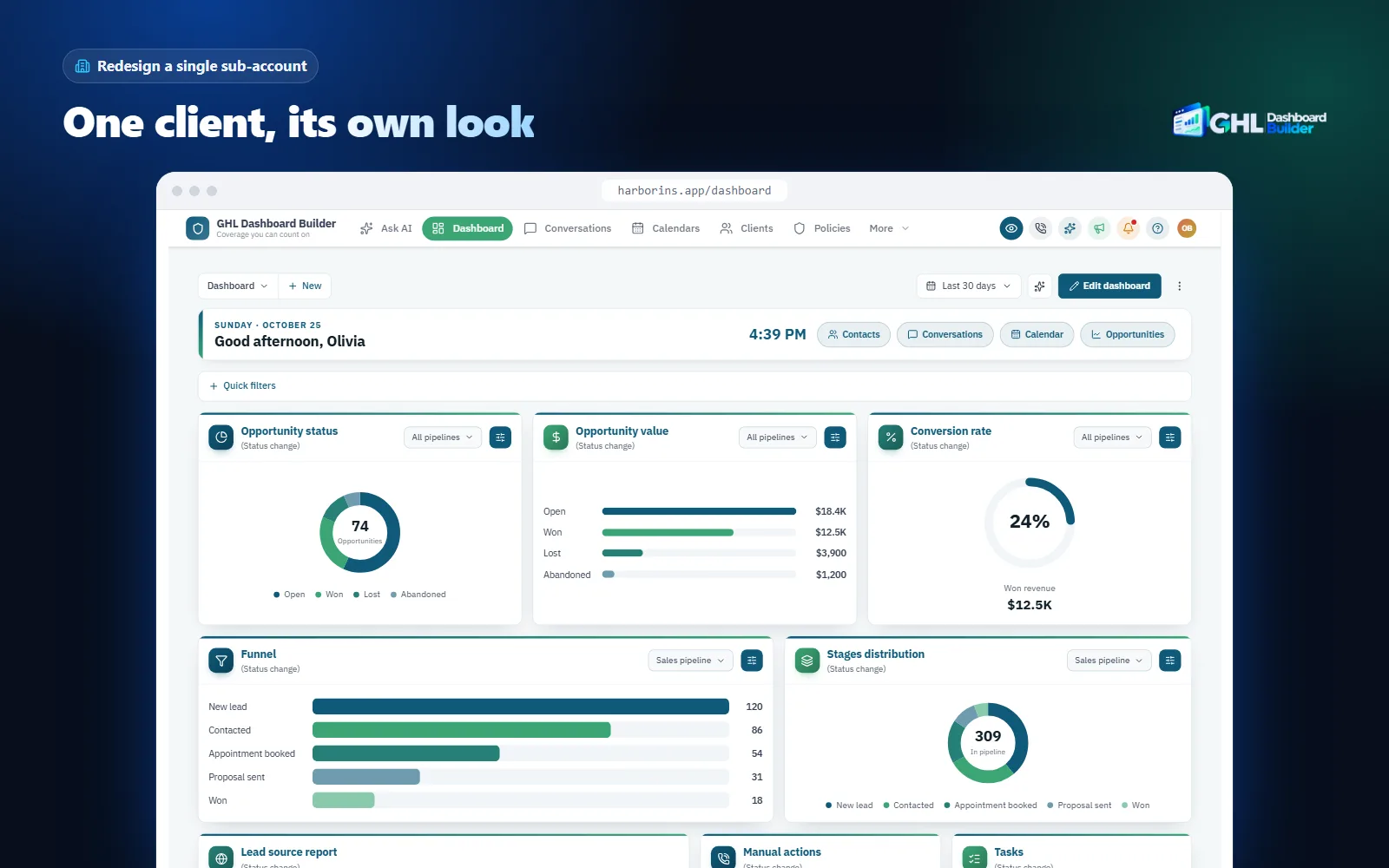
Be precise about what one install covers. One design is shown in the chosen sub-accounts; Pro includes up to 3 designs and Agency up to 100. If you need different looks for different clients, for example the Saffron look for a restaurant and the Serene look for a salon, contact us and we will plan how to set that up. Our guide to GoHighLevel sub-account branding explains the options in more depth.
How do you set up an Italian GoHighLevel dashboard, step by step?
Agree the scope, the form of address and the loanwords with the client, set HighLevel’s native language and sub-account basics, write the Italian content, design and install the theme, then test with the people who will use it. The steps assume agency admin access and that your agency’s logo and domain are already set; our guide to white-labeling HighLevel covers those first. Menu paths follow HighLevel’s help center at the time of writing.
Infographic
An Italian GoHighLevel dashboardin five steps
- 1
Agree the scope
Tu or Lei, loanwords, and what will be Italian.
- 2
Set native Italian
Platform Language, time zone, currency and fields per sub-account.
- 3
Write the content
GSM-7 friendly SMS, Italian WhatsApp templates, tested emails.
- 4
Design and install
Template, colors, short Italian labels, two install lines.
- 5
Test like a user
Daily screens, a language switch and SMS segments.

Step 1: Agree the scope
- Write down who logs in and which language each person reads best: Italian, English or both.
- Agree the region (Italy or Switzerland), the form of address for customer messages (tu or Lei), and which English loanwords the team uses, such as Lead, Pipeline and Funnel.
- Agree in writing what will be Italian: the menu and navigation, HighLevel’s inner pages where HighLevel has translated them, and all customer messages, forms and booking pages. Name what may stay in English: some inner screens, parts of the builders, some validation messages, system emails and the mobile app, depending on HighLevel’s current translation.
- Ask which words they use for their customers, appointments and deals, and whether the Abbonamenti item means courses, a community or nothing at all for them.
Step 2: Set HighLevel’s native language and the sub-account basics
- Open the client’s sub-account and go to Settings, Business Profile.
- Set Platform Language to Italian as the sub-account default.
- Ask English-preferring users to set their own language under Settings, My Profile.
- Enter the business name and address the way the client writes them, including the legal form (S.r.l., S.p.A., S.a.s., or SA and Sagl in Ticino), and set the time zone to Europe/Rome or Europe/Zurich.
- Set the currency in the payment settings, and add custom fields such as codice fiscale, partita IVA, codice destinatario and PEC if the client needs them.
- Set each calendar’s availability to the client’s real week: Monday start, lunch break, patron saint’s day and August closures.
Step 3: Write the Italian content
- Create the Italian SMS templates directly in HighLevel, replace curly apostrophes and capital È, and count their segments.
- Submit WhatsApp templates for approval in Italian, language code it.
- Build one Italian email template and test it in two mail apps.
- Translate forms, surveys and booking pages, including the confirmation and error messages you control. Call forms Moduli, not Forme, wherever you write the word yourself.
- Add a contact field for preferred language and use it in workflows to pick the Italian or English version.
Step 4: Design and install the theme
- Open the free builder in Italian, choose a template, and set the client’s colors, logo and fonts.
- Rename the menu items you agreed in Step 1, rename Abbonamenti to Corsi or Area riservata if the client uses memberships, shorten long labels, and hide the items the client does not use.
- If only this client should get the Italian design, limit the design to their sub-account.
- In the agency view, open Settings, Company, Whitelabel and find the custom code area. Copy whatever is already in Custom CSS and Custom JavaScript into a text file as your rollback.
- Paste the theme’s CSS line and JavaScript line and save. HighLevel warns about third-party scripts; confirm only if you trust the code. On every plan, we do this step for you as part of the setup.
Step 5: Test like an office user
- Open the sub-account in a new tab and hard-refresh.
- Walk through the dashboard, conversations, calendars, contacts and the opportunities board, on a laptop screen and at 125% browser zoom, and look for labels that wrap.
- Switch a test user’s Platform Language between Italian and English and check that the menu keeps your wording.
- Send yourself an Italian SMS reminder and check its segment count with your provider.
- Ask two staff members to use it for a morning and tell you which labels confuse them.
| Step | What you do | Typical owner | Done when |
|---|---|---|---|
| 1. Scope | Agree region, form of address, loanwords and what is Italian | Account manager | The client has it in writing |
| 2. Native settings | Platform Language, time zone, currency, custom fields | Setup specialist | A test invoice and booking look right |
| 3. Content | SMS, WhatsApp, email, forms, booking pages | Italian copywriter | Every template is read on a phone |
| 4. Theme | Design, short menu wording, install | Designer | The Italian menu shows in your brand on one line per item |
| 5. Testing | Daily screens, language switch, SMS segments | Two client staff | No label confuses them |
What can go wrong, and what doesn’t an Italian theme solve?
Most problems come from unclear promises, awkward native terms nobody checked, long labels nobody tested and SMS characters nobody noticed. A theme changes how HighLevel’s menu and main screens look and read; it does not translate HighLevel’s inner pages, it does not correct HighLevel’s own translation, and it does not write your clients’ content or invoices.
| Problem | Why it happens | What to do |
|---|---|---|
| Some screens still show English | HighLevel falls back to English where a translation is missing | Explain this before the sale; recheck after HighLevel releases |
| A native term sounds literal, such as Imbuti | HighLevel’s Italian translation of that screen | Report it on HighLevel’s ideas board; a theme cannot change inner-page text |
| Two items called Abbonamenti | Memberships and Subscriptions share one Italian word | Rename Memberships to Corsi or Area riservata |
| Long labels wrap in the sidebar | Italian uses phrases where English stacks nouns | Shorten labels and hide unused items |
| Prices look English, or a Swiss client’s look “wrong” | Wrong currency or region in the sub-account | Set EUR or CHF and check a sample invoice |
| SMS costs three times the plan | A capital È or a curly apostrophe switches to UCS-2 | Type templates in HighLevel and rephrase |
| The accountant rejects HighLevel invoices | Italian invoices must go through SdI | Agree the e-invoicing route before launch |
| Part of the theme looks wrong after an update | HighLevel changed a screen | Re-check after releases; keep the previous code to roll back |
There are also limits no theme removes. HighLevel does not officially support custom code, so a platform update can require a theme refresh; Starter and Pro include 12 months of updates for this, and Agency includes lifetime updates. A theme works in the web browser; it does not change HighLevel’s mobile app, its system emails or its builders. The installed code does not change HighLevel’s login page yet; on Pro and Agency we design the branded sign-in page with you. One design shows one menu wording, so a bilingual team shares one menu. An Italian menu does not by itself answer a client’s GDPR, e-invoicing or telemarketing questions; those depend on HighLevel, your contracts and how the client uses the platform. And no menu translation makes up for poorly written content: budget for a native writer, and see our FAQ for questions about installing, removing and data.
What to do next
- List your Italian-speaking clients and, for each one, who logs in, whether they are in Italy or Switzerland, which loanwords they use, and whether they write tu or Lei to their own customers.
- Set HighLevel’s Platform Language to Italian in each of those sub-accounts today; it is free and covers the inner pages a theme never touches.
- Fix the sub-account basics: time zone, currency, a Monday week, local closing days, and custom fields such as partita IVA, codice destinatario and PEC.
- Retype your Italian SMS templates in HighLevel, remove curly apostrophes and capital È, check the segment counts, and agree the e-invoicing route with each client’s accountant.
- Try the client’s colors and an Italian menu in the builder, install on one sub-account first, and compare the plans when you are ready to roll it out.