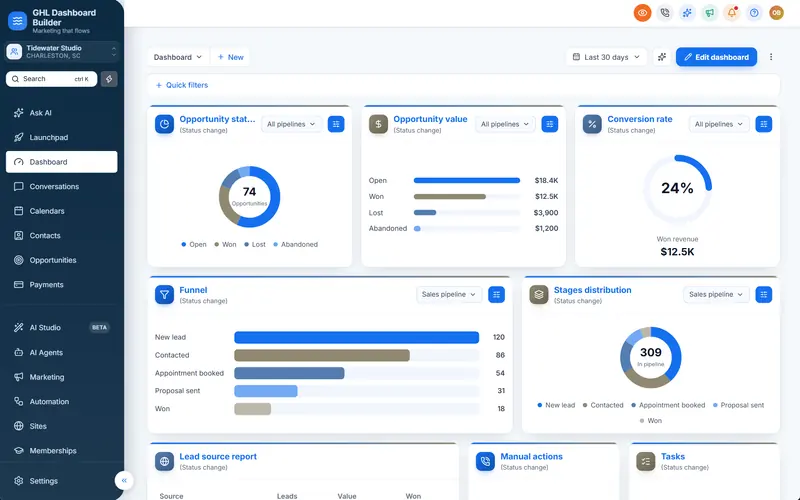
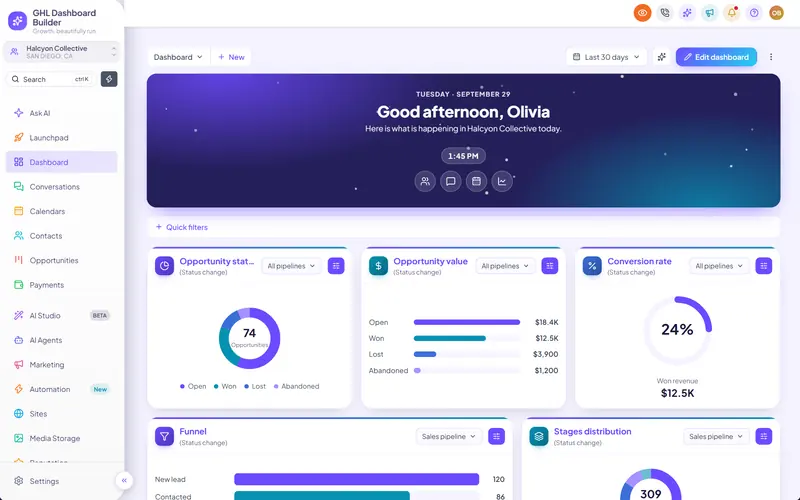
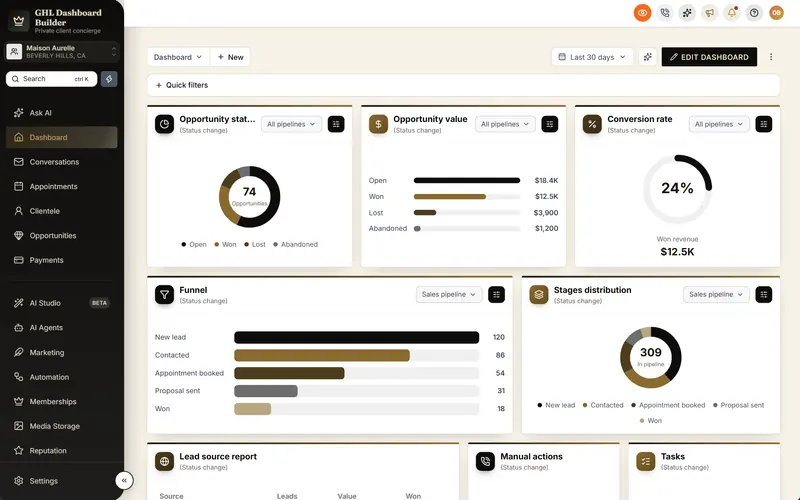
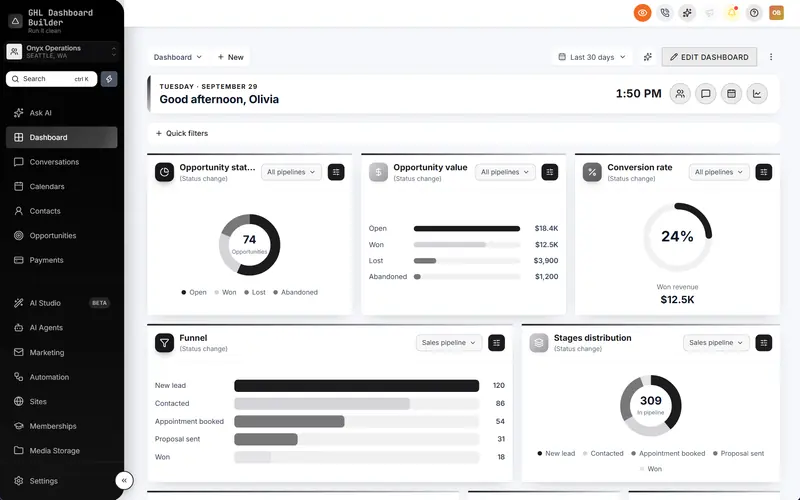
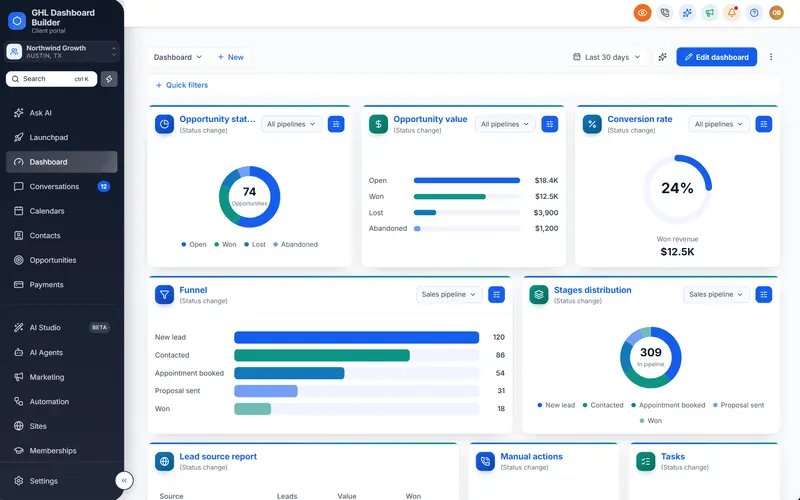
GHL Germany, in one sentence: HighLevel (also called GoHighLevel or GHL) works well for agencies serving German clients, but it arrives as a US platform. Billing is in US dollars, data sits in the United States, and the German pieces (DSGVO contracts, double opt-in, German phone numbers, e-invoices and a German interface) are yours to add.
That gap is why German agency owners search “GHL Germany” before they commit. A Mittelstand client in Stuttgart, a dental practice in Munich or a tax adviser in Hamburg will ask where the data is stored, whether there is an AVV, why the screen says “Opportunities”, and whose software this really is. This guide answers each question in order: who buys HighLevel in Germany, how a branded German dashboard works, what the DSGVO and the UWG mean for your setup, phone numbers and SMS, costs and e-invoicing, German formats, a step-by-step setup and the limits. GHL Dashboard Builder is an independent design service and is not affiliated with HighLevel; where our product helps, we say exactly what it does and where it stops.
What does GHL Germany mean for an agency?
GHL Germany means running HighLevel, a US CRM and marketing platform, for German businesses. The software itself works the same as anywhere. What changes is the layer around it: German law on data and marketing, German phone number rules, euro formats, the German language and clients who expect software to look professional and local.
It helps to separate three questions that agencies often mix up, because each has a different owner:
- Can HighLevel legally be used for German clients? Yes, with the right contracts and settings. HighLevel provides the platform-level pieces (a data processing agreement and transfer mechanism); your agency and the client provide the rest (an AVV, consent, an Impressum on every funnel).
- Does HighLevel work in German? Mostly. German is one of HighLevel’s built-in platform languages, with gaps that fall back to English. Our guide to HighLevel in German covers what the native setting translates, Sie or du and the SMS character traps in detail; this post focuses on the market around it.
- Does it look like the agency’s own product? Not out of the box. HighLevel’s white-label settings change the domain, logo and mobile app listing. The colors, menu wording, layout and first screen still look like the same software every other reseller offers.
The third question decides whether a German client sees you as a software provider or as a reseller of an American tool. In a market where many owners compare every tool against German-made business software, polish and a German interface matter more than agencies from English-speaking markets expect.
| Question | Who answers it | What you need |
|---|---|---|
| Is the platform allowed for German personal data? | HighLevel, then your agency | HighLevel’s DPA, your AVV with the client, a record of processing |
| Are the marketing workflows legal? | Your agency and the client | Double opt-in, consent records, an Impressum and cookie consent on funnels |
| Can the client phone and text from a German number? | HighLevel’s LC Phone, the client | A regulatory bundle with business documents |
| Does the client’s team read the interface easily? | HighLevel and a design layer | German platform language plus a German menu in the client’s words |
| Does it look like your own software? | Your agency | Custom domain, logo and a branded dashboard |
Who buys HighLevel in Germany, and what do they expect?
German HighLevel clients are mostly small and medium-sized businesses: trades, practices, professional firms, gyms, real estate agents and B2B service companies. They expect German menus, formal language, clear data protection answers and an interface that looks like a serious business tool.
The size of that market is easy to underestimate. According to Destatis, the Federal Statistical Office, about 3.2 million companies, or 99.3% of all companies in Germany, were small and medium-sized enterprises (KMU) in 2024, and they employed about 54% of all employees. That is the Mittelstand that most German agencies sell to: owner-run businesses that buy carefully, sign contracts, and keep a supplier for years once it works.
Infographic
GHL Germanyby the numbers
99.3%
of German companies were small or medium-sized in 2024
(Destatis)
2025
the year every German business had to be able to receive e-invoices
(IHK München)
15
dashboard languages, including German with formal Sie
(GHL Dashboard Builder)
19
HighLevel menu items you can rename into German trade words
(GHL Dashboard Builder)
Sources: Destatis, small and medium-sized enterprises 2024; IHK München, E-Rechnung; GHL Dashboard Builder features, November 2026.
What clients in Berlin, Munich and Hamburg buy
Germany has no single business capital, so the client mix changes from city to city. Our Germany market page lists the templates and conventions we suggest; the table below is the practical view for an agency planning its offer.
| City | Typical agency clients | Put these first on the dashboard | What they ask about |
|---|---|---|---|
| Berlin | Start-ups, coaches, e-commerce brands, creative studios, health practices | New leads by source, booked calls, unread conversations | Speed, integrations, sometimes an informal du tone |
| Munich | Medical and dental practices, B2B service firms, real estate, tax advisers | Appointments today, open opportunities by stage, overdue invoices | Data protection, AVV, formal Sie, a restrained design |
| Hamburg | Logistics and trade firms, agencies, hospitality, real estate | Quote requests, won value per month, missed calls | Reliable phone numbers, English for international staff |
| Trades across Germany (Handwerk) | Electricians, roofers, installers, cleaning companies | Job requests, appointments booked, reviews received | Simple screens, a phone that works, no English jargon |
Two expectations cut across every city. First, German clients read the interface literally. A menu that says “Opportunities” to a roofer or “Kontakte” to a law firm that talks about Mandanten feels like someone else’s software. Second, a German owner usually wants answers in writing: which data, which servers, which contract. If you can hand over a one-page summary with the AVV, you look like a provider, not a reseller.
Industry words that German clients expect
The words in the sidebar should be the client’s words. A dental practice works with Patienten, a law firm or tax adviser with Mandanten, a trade business with Aufträge and Angebote, a gym with Mitglieder. HighLevel’s native German translation says Kontakte and Verkaufschancen for everyone. Our guide to renaming GoHighLevel menu items walks through how to pick labels and what to hide for each industry.
How does GHL Dashboard Builder make HighLevel look German and branded?
GHL Dashboard Builder is an independent design service that turns the standard HighLevel (GoHighLevel) dashboard into a branded platform: your colors, menu, login design, privacy mode and your clients’ language, installed with two lines of code. For German clients that means a German menu in formal Sie, euro-ready screens and your brand everywhere.
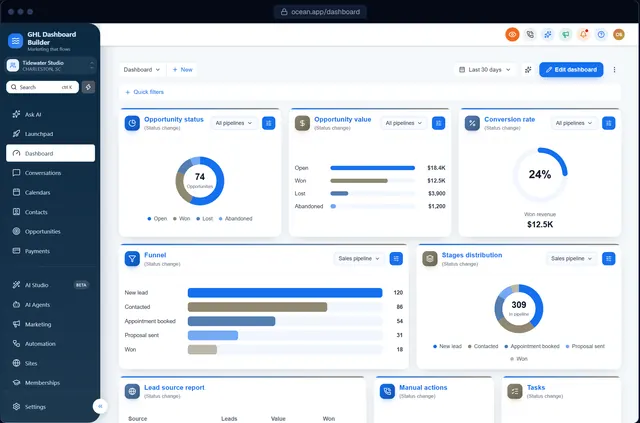
The design is a layer on top of HighLevel in the browser. Your clients’ data stays in HighLevel; nothing is copied to another service. The sidebar and header take your color system and fonts, the menu and navigation switch to German, and the Dashboard page opens with a welcome banner that greets the user with “Willkommen zurück” and their first name. You can overwrite any label with your own wording, which is how a practice gets Patienten instead of Kontakte.
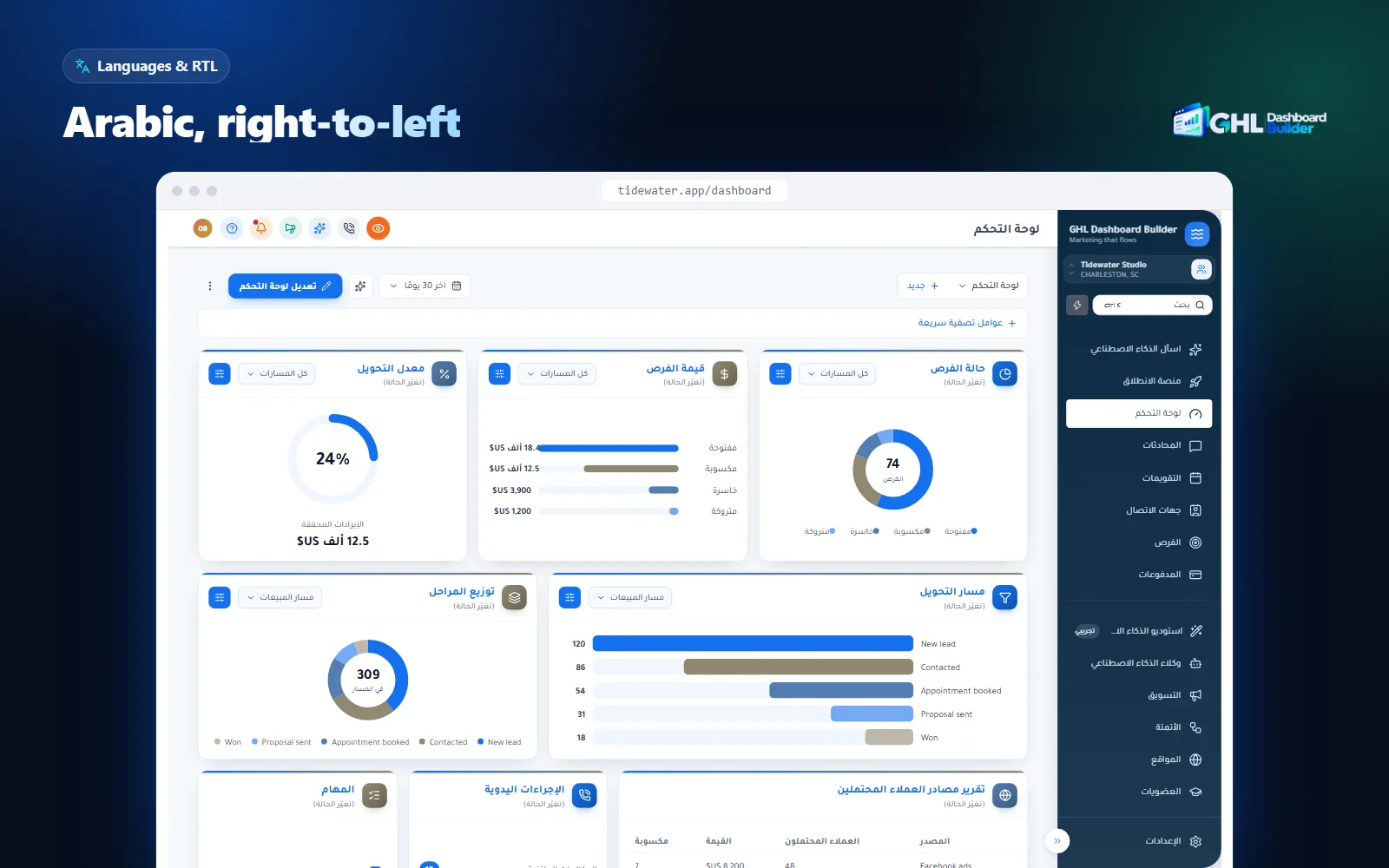
Be exact about what the German language pack covers, because German clients will check. The dashboard’s menu and navigation are translated (15 languages, with right-to-left layout for Arabic, Urdu and Hebrew), and you can write your own label for any item. Our German pack uses the formal Sie wherever it addresses the user: Unterhaltungen, Verkaufschancen, Berichte, Einstellungen, and Datenschutzmodus for privacy mode. Text inside HighLevel’s own pages, builders, system emails and the mobile app follows HighLevel’s own language setting, so set the sub-account’s platform language to German as well.
At a glance: what each feature adds for German clients, and which plan
The full list of 18 features is on our features page. These are the ones German agencies use most.
| Feature | What it does for your German clients | First plan that includes it |
|---|---|---|
| Brand and colors | Your color system, fonts and favicon across HighLevel, not only a logo | Starter |
| Welcome banner | Greets each user by first name with the date, a clock and quick links | Starter |
| Live counts | Unread conversations, appointments today, tasks due, new opportunities and overdue invoices on the menu and banner | Starter |
| Privacy mode | Blurs names, emails, phone numbers, conversations and deal values during screen shares | Starter |
| Single sub-account | Limits the German design to chosen clients by link or Location ID | Starter |
| 15 languages | German menu and navigation in formal Sie, with your own labels | Pro |
| Menu editor | Rename, reorder and hide any of the 19 menu items | Pro |
| Login page design | A branded sign-in page designed with you for your white-label domain | Pro |
| Custom CSS and JavaScript | Your own code on top of the design, for agencies with a developer | Agency |
Two of our 31 templates suit German clients particularly well. Vertex uses an electric-blue primary on a dark slate sidebar with sharp, confident type, which fits B2B service firms and tech-minded Mittelstand clients. Counsel uses navy and oxblood with serif headings, a composed look for law firms, tax advisers and financial advisors. Both can be recolored with the client’s or your agency’s brand.
Installation is the same everywhere: one CSS line and one JavaScript line in HighLevel under Settings, Company, Whitelabel, Custom Code, done for you as part of the one-time $100 setup fee. It takes about five minutes, and clearing the two boxes removes it. The approach is the same one described on our GoHighLevel white label dashboard page, with German as the working language.
Is GoHighLevel DSGVO-compliant for German clients?
HighLevel provides the platform-level pieces: a data processing agreement with Standard Contractual Clauses and, by its own account, certification under the EU-U.S. Data Privacy Framework. Data is hosted in the United States. Whether a German client’s use is DSGVO-compliant depends on your contracts, consent and configuration. This section is background, not legal advice.
The DSGVO (Datenschutz-Grundverordnung) is the German name for the EU’s General Data Protection Regulation (GDPR). German clients tend to ask about it earlier and in more detail than clients elsewhere, partly because each German state has its own data protection authority and partly because warning letters (Abmahnungen) for website mistakes are a familiar risk for German business owners.
What HighLevel provides
HighLevel’s help article on GDPR compliance and data privacy announces that HighLevel is certified under the EU Data Privacy Framework. HighLevel publishes a customer data processing addendum that relies on Standard Contractual Clauses for transfers from the EU to the US. Together, these are the transfer mechanisms a German client’s data protection officer will ask about first.
What HighLevel does not offer at the time of writing is hosting in the EU. A thread on HighLevel’s ideas board titled Need for GHL to be fully GDPR compliant for European agencies and clients asks for an EU data hosting option, which shows that it is a real request from European agencies and not yet a product feature. If a client’s own contracts require data to stay inside the EU (some public-sector and healthcare buyers do), HighLevel is not the right platform for that client, and it is better to say so in the first meeting.
What your agency must do
When your agency manages a client’s contacts in HighLevel, the client is the controller and your agency is the processor. Art. 28 GDPR requires a written contract between them, which Germans call an Auftragsverarbeitungsvertrag (AVV). HighLevel is your sub-processor, and so is every other tool you connect (email delivery, phone, payment, analytics). The checklist below is what German agencies typically prepare before go-live.
| Document or step | Who signs or owns it | What to check |
|---|---|---|
| HighLevel’s data processing addendum | Your agency and HighLevel | Download and file it; note the Standard Contractual Clauses and the DPF certification |
| AVV (Art. 28 GDPR) with the client | Your agency and the client | List HighLevel and every other sub-processor, the data categories and the deletion rules |
| Record of processing activities | The client, with your input | Add the CRM, the marketing automations and the phone system |
| Privacy notice on funnels and websites | The client | Name HighLevel as a service provider and describe the US transfer |
| Data protection officer | The client | Required under § 38 BDSG when at least 20 people regularly process personal data automatically |
| Access rights in HighLevel | Your agency | Give staff users only the permissions their job needs |
| Deletion and export routine | Your agency and the client | Agree how a contact’s data is exported or deleted on request |
The data protection officer threshold is worth knowing because it changes who you talk to. In a ten-person practice, the owner decides. In a Mittelstand company with 60 office staff, a data protection officer, internal or external, will review your AVV and may ask for technical and organisational measures (TOMs) in writing. Prepare them once and reuse them.
Screen shares, demos and training videos
The DSGVO question German agencies forget is the screen. Every sales demo, support call and recorded training video can show real names, phone numbers and deal values from a client’s HighLevel. For a German client that is a data protection incident waiting to happen, and for a prospect watching your demo it is a red flag about how you handle data.
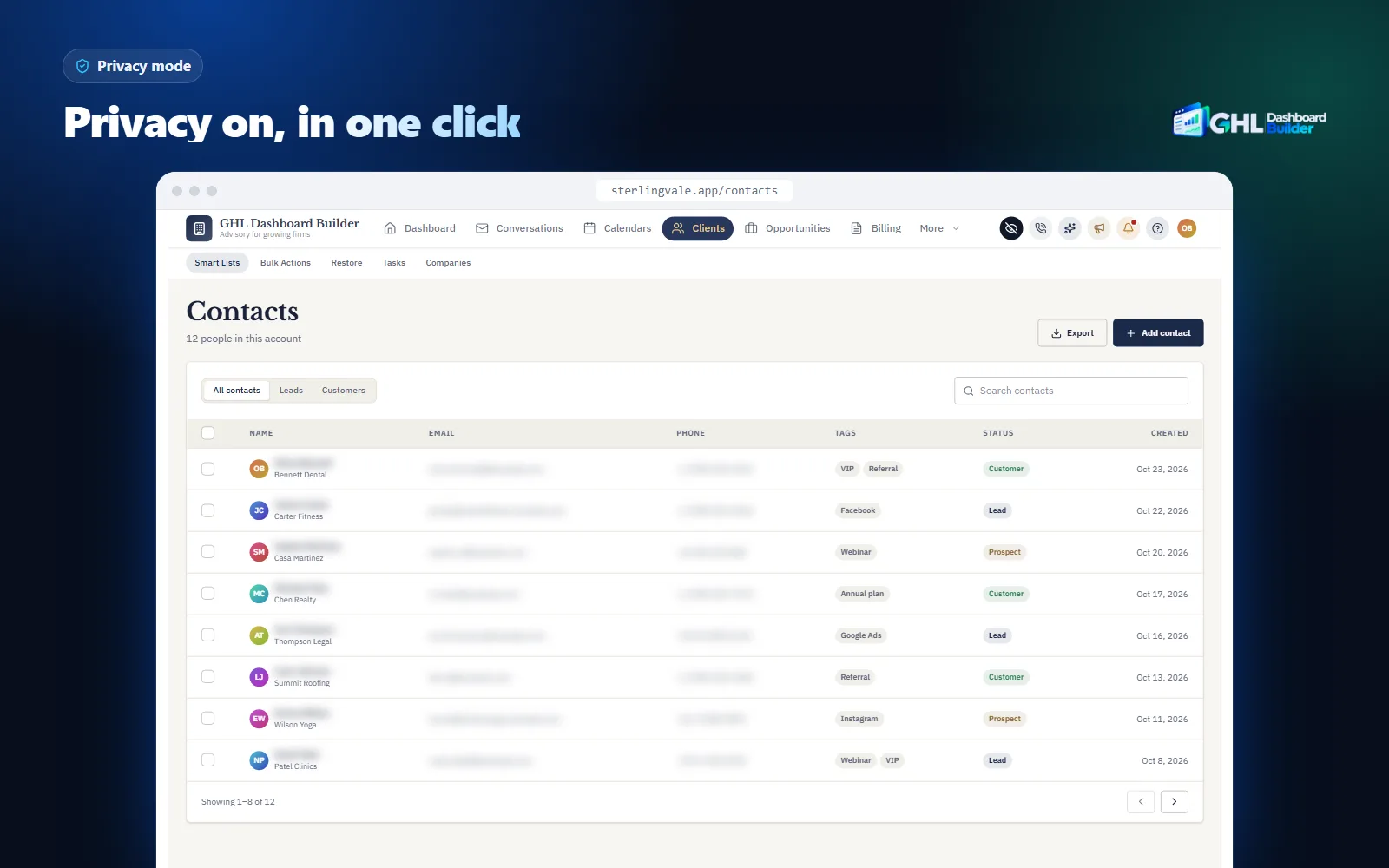
Privacy mode handles that moment. An eye button in HighLevel’s header, labelled Datenschutzmodus in the German design, blurs contact names, email addresses, phone numbers, the conversation list and opportunity values with one click; a second click shows them again, and you choose how strong the blur is. Privacy mode does not replace an AVV or access rights, but it removes the most common accidental exposure. Our guide to hiding client data on screen shares explains when to use it and what it covers.
Which German marketing rules change your HighLevel automations?
Three German rules shape how you build funnels and workflows: § 7 UWG requires provable consent for advertising email and SMS, § 5 DDG requires an Impressum on every business website, and § 25 TDDDG requires consent before non-essential cookies. Each one maps to a specific place in HighLevel.
Double opt-in for email under § 7 UWG
The UWG (Gesetz gegen den unlauteren Wettbewerb, the Act against Unfair Competition) treats advertising email sent without the recipient’s prior, express consent as an unreasonable nuisance. The IHK München’s guide to email marketing explains that the sender must be able to prove that consent, and that a single opt-in, where someone simply types an address into a form, does not prove it. The practical standard in Germany is double opt-in: the contact confirms by clicking a link in a confirmation email.
In HighLevel this is a workflow, not a setting. Trigger it on the form submission, send a short confirmation email with a confirmation link and no advertising, and add the marketing tag or list only after the click. Record the date and time of the form submission and of the confirmation on the contact. There is a narrow exception for existing customers buying similar products, with conditions listed in § 7 (3) UWG, but most agencies build double opt-in for everyone rather than test the exception.
Impressum and cookie consent on HighLevel funnels
Every funnel and website you build in HighLevel for a German business needs an Impressum (legal notice). Since 14 May 2024, the obligation sits in § 5 of the Digitale-Dienste-Gesetz (DDG), which replaced the old Telemediengesetz; the IHK Nürnberg’s guide to the Impressum obligation and other chambers of commerce point out that violations can be fined up to 50,000 euros and that old references to ”§ 5 TMG” should be updated. In practice, add an Impressum page and a privacy notice (Datenschutzerklärung) to every funnel template and link both from every page footer.
Cookie consent follows § 25 TDDDG (the renamed TTDSG): cookies and tracking that are not strictly necessary need consent first. If a funnel uses a tracking pixel or analytics, add a consent banner that blocks them until the visitor agrees, and test it in a private browser window.
| Rule | Where it matters in HighLevel | What to set up |
|---|---|---|
| § 7 UWG, email and SMS consent | Forms, surveys, chat widget, email campaigns, SMS campaigns | Double opt-in workflow, consent checkbox text, timestamps on the contact |
| § 5 DDG, Impressum | Funnels, websites, booking pages | An Impressum page linked from every footer |
| § 25 TDDDG, cookies | Funnels and websites with pixels or analytics | A consent banner that blocks tracking until accepted |
| Art. 13 GDPR, privacy notice | Every page that collects data | A Datenschutzerklärung naming HighLevel and the US transfer |
| Cold calls to consumers (§ 7 UWG) | Power dialer, call campaigns | Calls only to people who consented in advance |
Which phone numbers and SMS work for German clients?
German numbers in HighLevel come through LC Phone and need a regulatory bundle with business documents before purchase. German local (landline) numbers are generally voice-only, so SMS runs on a mobile number or a one-way alphanumeric sender ID. Many German customers prefer WhatsApp, which HighLevel connects separately.
The regulatory bundle
HighLevel’s help article on regulatory bundles and address creation for sub-accounts explains that LC Phone users create and submit bundles in the Compliance tab of each sub-account, and that a bundle or address in use cannot be deleted. For Germany, Twilio’s regulatory requirements for business numbers ask for documents such as an excerpt from the commercial register (Handelsregisterauszug) showing a local address, and the address generally has to match the number’s area: a Berlin number needs a Berlin address. Trades and freelancers who are not in the commercial register should ask HighLevel support which alternative documents are accepted before promising a number.
Plan for review time. Bundles are checked by people, not instantly, so request the client’s documents in the first week of onboarding, not on launch day.
SMS, sender IDs and WhatsApp
Twilio’s guidelines for Germany list two-way SMS as supported on suitable numbers, and Twilio’s documentation describes alphanumeric sender IDs (a sender name such as “PraxisMayer” instead of a number) as one-way: the recipient cannot reply. That suits appointment reminders, not conversations. For two-way texting, use a German mobile number. Remember that the § 7 UWG consent rule also covers advertising SMS.
Many German consumers answer WhatsApp faster than SMS, and Statista lists WhatsApp as the most used social and messaging platform in Germany. If a client’s customers live on WhatsApp, connect HighLevel’s WhatsApp integration and use SMS mainly for reminders. Our guide to HighLevel in German explains which German characters keep an SMS at 160 characters and which cut it to 70.
What does HighLevel cost a German agency, and how do invoices work?
HighLevel lists its agency plans in US dollars per month: Starter, Unlimited and Agency Pro. A German agency pays by card in dollars, so the euro cost moves with the exchange rate, and VAT on a service from a US provider is usually handled through the reverse-charge procedure. Ask a Steuerberater to confirm your own case.
HighLevel’s pricing page shows three main agency plans at the time of writing. Usage such as phone calls, SMS and email sending is billed on top of the plan fee, so budget for each client’s volume separately.
Source: HighLevel pricing page, November 2026 (monthly billing; usage such as calls, SMS and email is billed separately).
Agency Pro is the plan that unlocks SaaS mode, where you resell HighLevel under your own brand and set your own prices in euros for each client. Starter limits the number of sub-accounts, so most German agencies with more than a couple of clients start on Unlimited. Our SaaS mode white-label guide explains how pricing and rebilling work when you resell.
VAT on HighLevel’s invoices
When a German business buys a service from a provider outside Germany, the place of supply for B2B services is generally where the customer is based, and the German business usually owes the VAT itself under the reverse-charge procedure in § 13b UStG. The supplier invoices the net amount; your agency declares the VAT in its advance return and, if it is entitled to deduct input tax, deducts it at the same time. This is how most German agencies treat US software subscriptions, but the details depend on your company, so confirm them with your Steuerberater.
E-invoicing: a deadline your clients will ask about
Germany is moving business-to-business invoicing to structured e-invoices. The IHK München’s e-invoice overview summarises the timeline: since 1 January 2025 every German business must be able to receive e-invoices; from 1 January 2027 businesses with more than 800,000 euros of turnover in the previous year must issue them; and from 1 January 2028 the obligation applies to all domestic B2B invoices. Accepted formats follow the European standard EN 16931, such as XRechnung and ZUGFeRD from version 2.0.1. A plain PDF invoice is not an e-invoice under these rules.
That matters if your clients use HighLevel’s invoicing for other businesses. We found no HighLevel help article describing XRechnung or ZUGFeRD output at the time of writing, and a request titled E-bill Germany is open on HighLevel’s feedback board. Until that changes, advise B2B clients to keep a German invoicing or accounting tool for invoices and use HighLevel for leads, bookings and payments. Consumer invoices (B2C) are not covered by the mandate.
How should euros, dates and the German week appear in HighLevel?
German clients expect 12.500,50 € with a comma for decimals, dates as 23.11.2026, a 24-hour clock, weeks that start on Monday and calendar week numbers (KW). Set each sub-account’s currency to euro and its time zone to Europe/Berlin, then check every widget and template against these conventions.
What the browser does by default
We formatted the same amount and date in Node.js 22 with ICU 78.3, which ships Unicode CLDR 48, the locale data browsers also use (versions vary by browser). The table shows why a German client notices immediately when a screen is set to US English.
| Locale setting | 12,500.50 euros | 23 November 2026 (long) | Short date | 15:30 |
|---|---|---|---|---|
| de-DE (Germany) | 12.500,50 € | 23. November 2026 | 23.11.26 | 15:30 |
| en-US (HighLevel’s default English) | €12,500.50 | November 23, 2026 | 11/23/26 | 3:30 PM |
| en-GB | €12,500.50 | 23 November 2026 | 23/11/2026 | 15:30 |
Three practical conclusions follow. First, an American short date such as 11/12/26 means 11 December to a German reader, so never leave a German client on US date formats. Second, Germans write the euro sign after the amount with a space, so templates and SMS should say “Ihr Termin kostet 85,00 €”, not “€85.00”. Third, German businesses plan in calendar weeks: “KW 48” is normal in emails and meetings, so use week numbers in report titles and appointment confirmations where it helps.
Settings to check in each sub-account
In the client’s sub-account, open Settings, Business Profile and set the platform language to German, the time zone to Europe/Berlin and the business currency to euro. Check the business address format (street and house number, then postcode before the city, such as 80331 München). Then open one opportunity, one invoice and one appointment confirmation and confirm the values and dates read the German way.
Public holidays are the other German detail. They differ by federal state (Bundesland), so a calendar for a Munich practice needs different closed days than one for a Hamburg office. Add the holidays of the client’s state to its calendars before the first bookings arrive, and keep the Germany market page at hand for the conventions we build into German designs.
How do you set up GoHighLevel for a German client, step by step?
Collect the client’s documents and contracts first, configure the sub-account the German way, build consent into every workflow, then add the branded German dashboard and test as a member of the client’s team. A typical German sub-account goes live within two working weeks, most of it waiting for documents.
Infographic
GoHighLevel for a German clientin seven steps
- 1
Sign the AVV
File HighLevel's DPA and sign your AVV with the client.
- 2
Set German basics
German language, euro, Europe/Berlin and the address format.
- 3
Request the number
Submit the regulatory bundle in the Compliance tab.
- 4
Build double opt-in
Confirmation workflow on every form before any campaign.
- 5
Add legal pages
Impressum, privacy notice and cookie consent on funnels.
- 6
Brand it in German
Colors, German menu and welcome banner in the builder.
- 7
Test as the client
Log in as a staff user on desktop and phone.
Step 1: Contracts first
Download HighLevel’s data processing addendum and file it. Sign your AVV with the client, listing HighLevel and every other sub-processor you will use for that client. If the client has a data protection officer, send the AVV and your technical and organisational measures before you import any contact data. Our GoHighLevel white-label checklist lists the other launch items, such as the custom domain and email sending domain.
Step 2: German basics in the sub-account
Create the sub-account and open Settings, Business Profile. Set the platform language to German, the time zone to Europe/Berlin and the business currency to euro. Enter the address in German format and the legal company name exactly as it appears in the Impressum. Add the client’s state holidays to every calendar.
Step 3: Request the phone number
Open the sub-account’s Compliance tab under the phone settings and create a regulatory bundle with the client’s business documents and an address in the number’s area. Choose a mobile number if the client needs two-way SMS and a local number if callers expect a city area code. Set up WhatsApp separately if the client’s customers prefer it.
Step 4: Build double opt-in into every form
For each form, survey and chat widget, create a workflow triggered by the submission: send a plain confirmation email with a confirmation link, wait for the click, then add the marketing tag. Store both timestamps in custom fields. Write the consent checkbox text in German and keep it specific (“Ja, ich möchte den Newsletter per E-Mail erhalten”).
Step 5: Add the legal pages to every funnel
Create an Impressum page and a Datenschutzerklärung page in a funnel template you reuse, link both from every footer and add a consent banner that blocks pixels and analytics until accepted. Have the client or their lawyer approve the texts; your job is to make sure every page links to them.
Step 6: Design and install the German dashboard
Open the free builder in German, start from Vertex or Counsel, add the client’s or your colors, logo and fonts, and switch the language to German. Rename menu items into the client’s words and hide what they don’t use. Choose the sub-accounts that should get the design, then install the two lines under Settings, Company, Whitelabel, Custom Code, or let us install them as part of the setup fee.
Step 7: Test as the client
Log in as a staff user of the client, not as an agency admin. Check the menu, the welcome banner, an opportunity, an invoice and an appointment confirmation in German, on desktop and on a phone. Switch on privacy mode and share your screen to a colleague to confirm nothing personal shows. Only then import the full contact list and start campaigns.
Can each German client get its own branded dashboard?
Yes, within limits. One install of GHL Dashboard Builder can show a design only in chosen sub-accounts, so your German clients see the German design while English-speaking clients and the agency view stay as they are. One design is shown in those sub-accounts; for different looks for different clients, talk to us first.
This matters for German agencies more than for most, because many serve a mix: German Mittelstand clients who want a German interface and international clients or start-ups whose teams work in English. HighLevel’s custom code applies at agency level, but the design can be limited to sub-accounts you choose by pasting the sub-account’s link or its Location ID. Our guide to branding a single GoHighLevel sub-account explains the setting step by step.
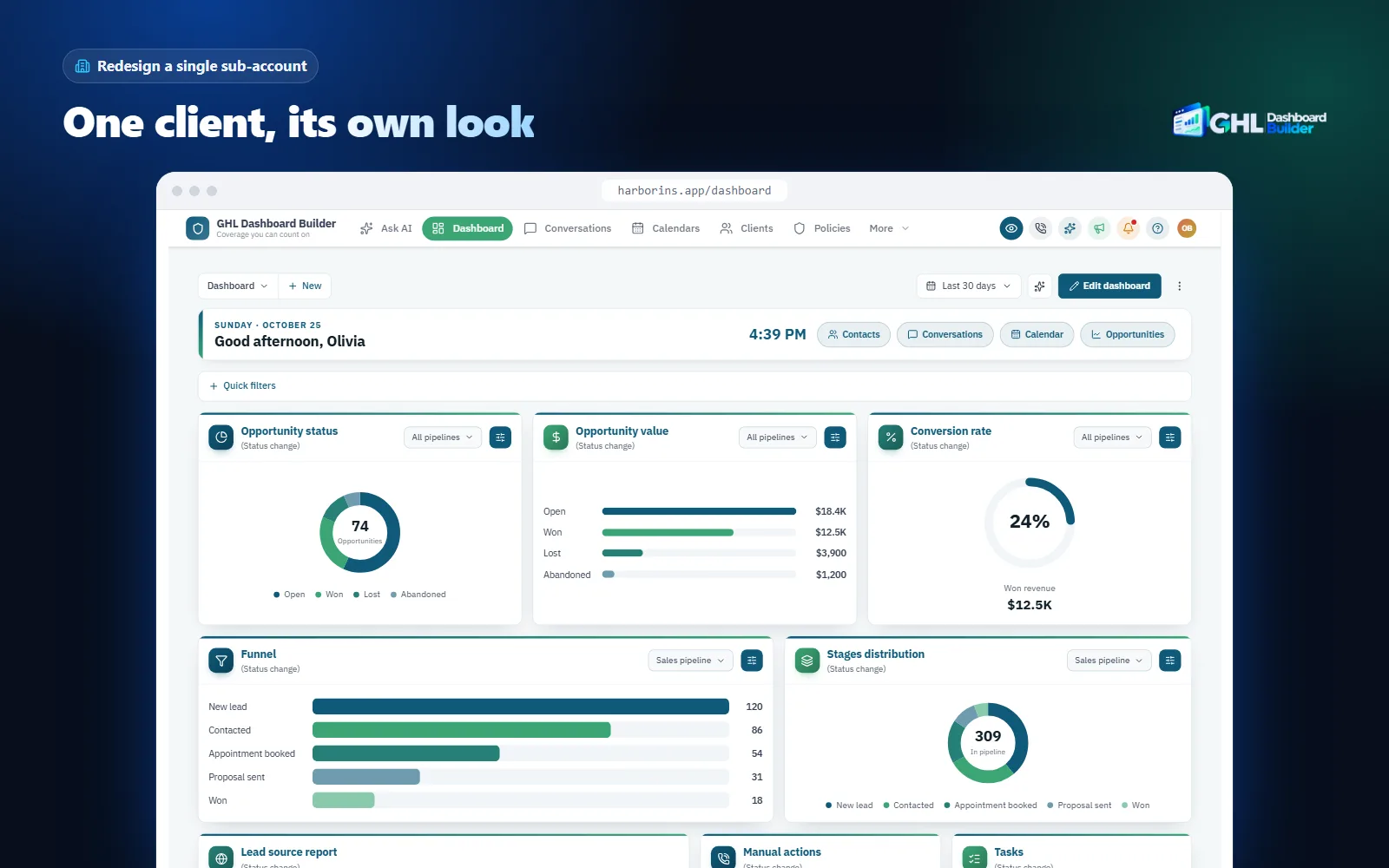
A good pattern for a German agency is to pilot the design on one client for two weeks, collect the staff’s comments on wording (German users will tell you exactly which label sounds wrong), adjust, then add the next sub-accounts to the list. Because the design is the same for every selected sub-account, choose neutral agency branding if several different German clients share it, and use the menu labels that suit the largest group. For a client who wants a separate look entirely, the single sub-account page explains the options, and you can contact us to plan it.
What can go wrong, and what doesn’t a German theme solve?
The common problems in Germany are paperwork, not software: missing AVVs, single opt-in lists, phone bundles stuck in review and PDF invoices sent to B2B customers. A branded German dashboard fixes how HighLevel looks and reads; it does not fix contracts, consent or invoicing.
Common problems and fixes
| Problem | Why it happens | Fix |
|---|---|---|
| A client’s data protection officer blocks the launch | No AVV, or HighLevel missing from the sub-processor list | Send the AVV, HighLevel’s DPA and your TOMs before go-live |
| An imported list can’t be emailed | The contacts gave single opt-in or no provable consent | Send a re-permission campaign only where consent exists; otherwise start fresh with double opt-in |
| The phone number request is rejected | The address or document doesn’t match the number’s area | Use the registered business address and a matching area code |
| Customers can’t reply to SMS reminders | An alphanumeric sender ID is one-way | Send from a German mobile number or add a reply channel |
| A B2B customer rejects an invoice | A PDF is not a structured e-invoice | Issue B2B invoices from a tool that supports XRechnung or ZUGFeRD |
| Some screens still show English | HighLevel’s native translation has gaps that fall back to English | Set the platform language to German and keep your own labels in the menu |
| Dates read as US format | The user’s profile or sub-account still uses English defaults | Check Business Profile and each user’s My Profile settings |
What a branded German dashboard does not do
Be honest with German clients about the limits, because they will find them. A design restyles HighLevel’s interface in the browser; HighLevel’s built-in white-label settings handle the domain, logo and mobile app. The theme does not change HighLevel’s mobile app, its system emails or its page builders, and it does not move data to the EU. HighLevel does not officially support custom code, so a platform update can require a theme refresh; Starter and Pro include 12 months of updates for this, and Agency includes lifetime updates. The installed code does not change HighLevel’s login page on its own; we design the branded login page with you on Pro and Agency. And no menu translation replaces a well-written German email or SMS: budget for a native writer for customer-facing texts. Our FAQ answers the common questions about installing, removing and data.
What does a branded German setup cost?
GHL Dashboard Builder plans are one-time payments, not subscriptions: Starter $280, Pro $480 and Agency $880, plus a one-time $100 setup fee on every plan, for which we install and configure the design in your HighLevel. German is included from Pro.
| Plan | One-time price | Designs | What German agencies get |
|---|---|---|---|
| Starter | $280 + $100 setup | 1 | One branded design from any template, privacy mode, live counts, welcome banner, sub-account targeting |
| Pro | $480 + $100 setup | Up to 3 | Everything in Starter plus German and 14 other languages, the menu editor and login page design |
| Agency | $880 + $100 setup | Up to 100 | Everything in Pro plus a look designed by our team, custom CSS and JavaScript, lifetime updates |
Starter and Pro include 12 months of updates, then optional updates at $99 a year; without them the theme keeps working as it is. You can upgrade by paying the difference between plans, and the setup fee is never charged twice. Because you pay once, you set your own euro price to clients: a setup fee, a premium tier or part of your monthly retainer. We take no share and charge no per-client fee. Full details are on the pricing page, and the page on GHL dashboard customization lists everything the design can change.
Compare that with the alternatives a German agency usually considers: a developer writing custom CSS for each client (and fixing it after HighLevel updates), or switching clients to a German CRM and losing HighLevel’s automations. If you are not sure which route fits a particular client, our team can look at the requirements and tell you honestly whether the design layer covers them.
What to do next
You now know what GHL Germany involves: a US platform that works well for German clients once the contracts, consent, phone numbers, formats and German interface are in place. Turn that into a working setup this month:
- Prepare the paperwork once. File HighLevel’s data processing addendum, write an AVV template and a one-page TOM summary you can send every new German client.
- Build a German funnel template with double opt-in, an Impressum page, a Datenschutzerklärung and a cookie banner, and reuse it for every client.
- Request phone documents in week one. Ask each client for the commercial register excerpt and address proof as soon as they sign.
- Design the German dashboard in the free builder with Vertex or Counsel, a German menu in the client’s words and privacy mode.
- Pilot on one sub-account for two weeks, collect wording feedback from the client’s staff, then roll out to your other German clients. If you also serve Dutch or Nordic clients, our guide to GoHighLevel in the Netherlands and the Nordics covers those markets.